Search Gmail Archives on Mac
Search Gmail Archives on Mac
You exported your Gmail account with Google Takeout.
Maybe you did it before deleting an old account.
Maybe you did it before leaving Google Workspace.
Maybe you did it just to keep a backup somewhere safe.
That is smart.
But after you download the archive, a new problem appears:
How do you actually search it?
Because a Gmail archive is useful only if you can retrieve the email you need later.
With Fenn, you can make your Gmail or Google Workspace .mbox archive searchable on your Mac.
The backup is not the problem
Exporting your Gmail data is the easy part.
Google Takeout lets you download an archive of your Google data, including email. Google also says that, depending on the amount of information in your account, creating the archive can take from a few minutes to a few days.
The hard part comes later.
You have a file.
Maybe it is called something like:
All mail Including Spam and Trash.mbox
Or:
Mail.mbox
Or:
Google Workspace archive.mbox
And now you need to find one specific email inside it.
The invoice from a client.
The message with a contract detail.
The login email from an old service.
The conversation with a previous supplier.
The email where someone approved a project.
Opening a large archive manually is not fun.
Searching it should be simple.
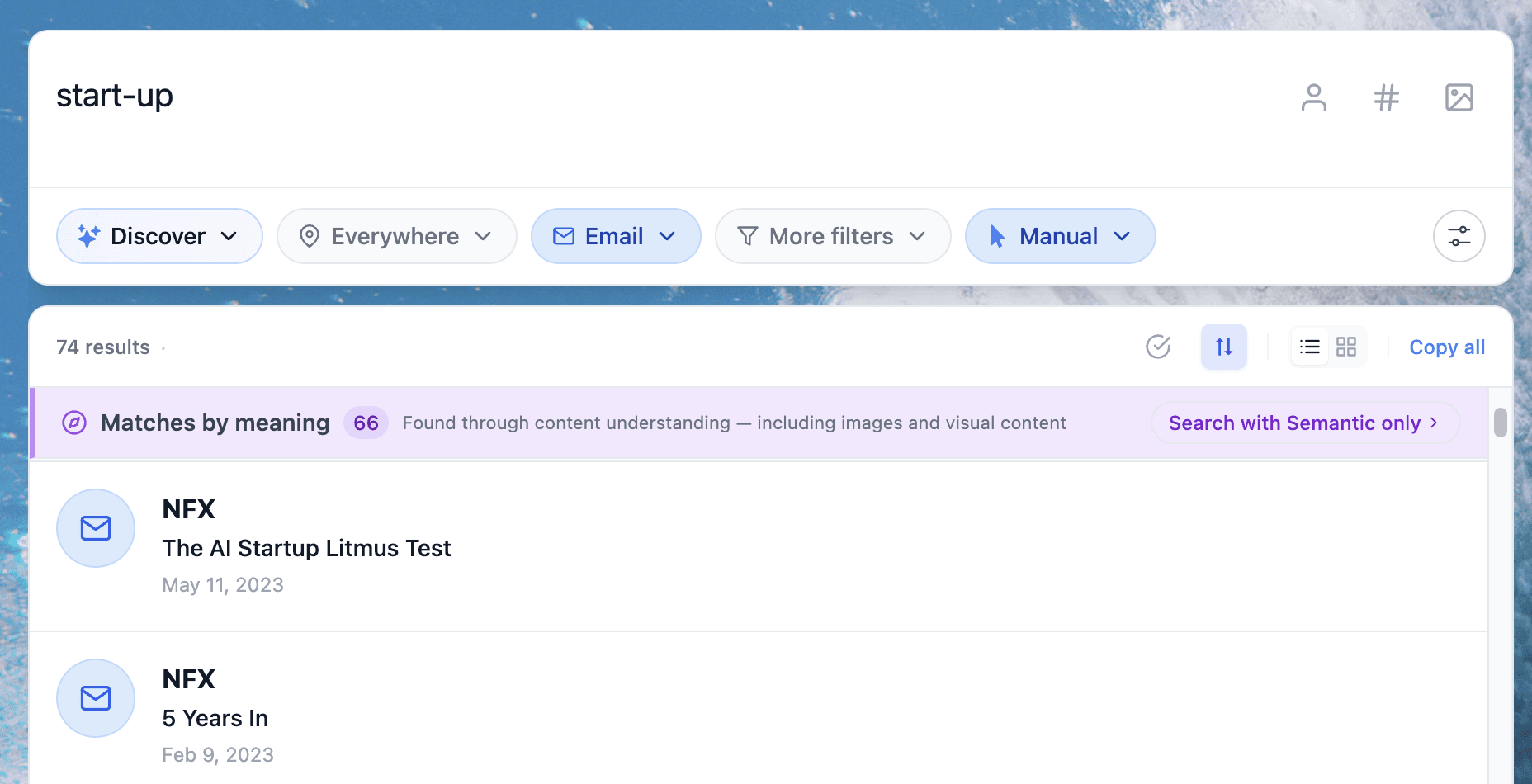
Fenn can search inside .mbox files
Fenn now supports search inside Gmail and Google Workspace .mbox archives.
That means you can:
Export your Gmail or Google Workspace email archive.
Keep the
.mboxfile on your Mac.Add the file or folder to Fenn.
Let Fenn index it locally.
Search for the words, names, companies, dates, or phrases you remember.
Instead of digging through the archive manually, you search it like any other important file.
Search old emails by what you remember
The nice thing about email is that you usually remember part of the content.
You might not remember the exact subject line.
But you remember:
the client name
the project name
a product name
a sentence from the email
an invoice number
a domain name
a person’s name
a contract phrase
a shipping detail
a receipt amount
Fenn lets you search for that content inside the archive.
So instead of thinking:
“Where did I put the Gmail export?”
You can think:
“What do I remember from the email?”
That is how archive search should work.
Useful when leaving Gmail or Google Workspace
This is especially useful if you are closing an account.
A lot of people export Gmail before deleting an old account.
Companies may also export Google Workspace email archives for records, compliance, migration, or safety.
But after the export, those emails often become a dead archive.
They exist.
They are backed up.
But nobody wants to open a huge .mbox file manually every time they need one message.
Fenn turns that archive into something searchable again.
Private search for private emails
Email archives are sensitive.
They can contain invoices, contracts, receipts, personal conversations, client details, passwords reset emails, legal discussions, and business records.
That is why privacy matters.
Fenn indexes locally on your Mac.
Your .mbox file stays on your Mac.
Your searches stay on your Mac.
You do not need to upload the archive to a cloud AI tool just to find one old email.
This is exactly why Fenn exists.
Private AI that finds any file on your Mac.
Not only Gmail archives
The same idea applies to the rest of your files.
Fenn can search inside email archives, but also inside documents, PDFs, images, videos, audio files, notes, spreadsheets, presentations, and more.
So when you search for a client name, you can find more than one email.
You can also find:
the contract PDF
the invoice
the brief
the presentation
the screenshot
the video
the audio note
the old folder
That makes Fenn more useful than a simple email archive viewer.
It helps you search across the full context around the email.
The bottom line
Backing up Gmail is a good idea.
But a backup is not enough.
You need to be able to find what is inside it.
With Fenn, you can index your Gmail or Google Workspace .mbox archive and search inside old emails privately on your Mac.
No cloud upload.
No manual digging.
No reopening an old Gmail account just to retrieve one message.
Download Fenn and find the moment, not the file.
Related reading: