What Finder and Spotlight Should Have Been
What Finder and Spotlight Should Have Been
Finder and Spotlight are supposed to help you find things on your Mac.
In theory, that sounds simple.
In practice, it often feels broken.
Finder is fine when you already know exactly where the file is. Spotlight is useful when you know the app name or the filename.
But real life does not work like that.
You do not remember:
HG1026BHIO.pdf
You remember:
“the PDF where the client mentioned the refund clause”
“the invoice from that supplier”
“the screenshot with the error message”
“the video where the logo appears”
“the audio where someone talked about pricing”
That is the difference.
Finder and Spotlight still think mostly in filenames, folders, and metadata. Your memory works in meaning, content, and moments.
That is why Fenn exists.
Finder is only useful when you already know where to look
Finder is not really a discovery tool.
It is a manual browsing tool.
If you know the folder, it works.
If you know the filename, maybe it works.
But if you remember what the file was about, Finder becomes frustrating fast.
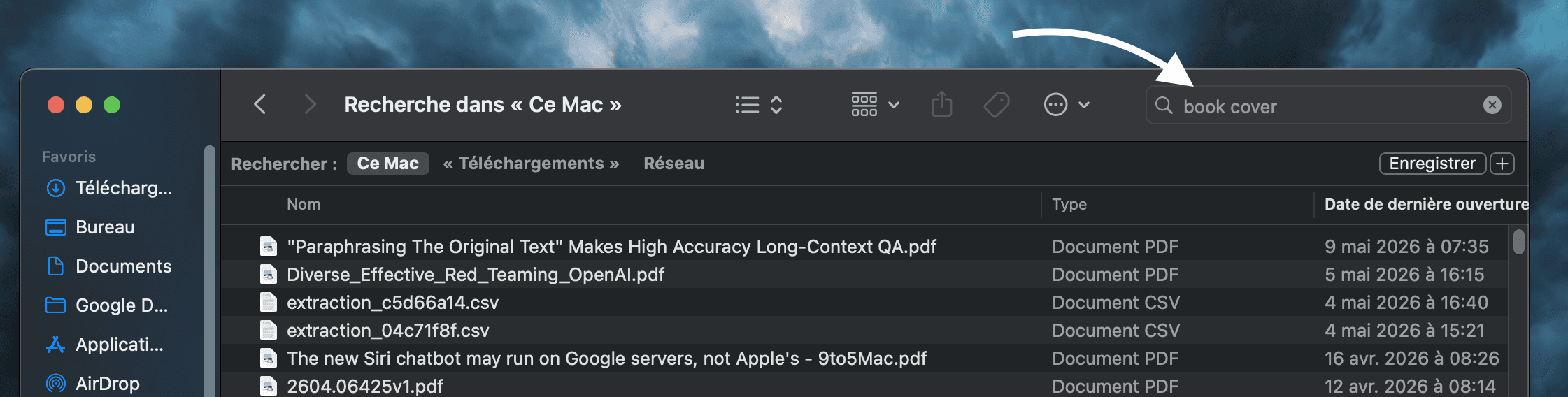
This is the problem most Mac users know but tolerate.
You search for something obvious.
Finder returns irrelevant files.
Then you stop searching and start digging through folders manually.
That is not file intelligence.
That is digital archaeology.
Spotlight is better, but still not enough
Apple has improved Spotlight in macOS 26, including new browsing experiences, actions, and faster access to files, apps, clipboard history, and shortcuts. Apple called it the biggest Spotlight update ever.
That is useful.
But it still does not solve the core problem.
Spotlight is great for launching apps.
It can help you find recent files.
But it is not built to deeply understand every file on your Mac, across PDFs, screenshots, audio, video, images, old archives, design files, documents, and messy folders.
It is still not the file brain your Mac needs.
Fenn is the missing layer
Fenn combines what people wanted from Spotlight and Finder into one private app.
It is a search bar.
It is a file browser.
It is a local AI layer for your Mac.
You can search by:
filename
keyword
exact text
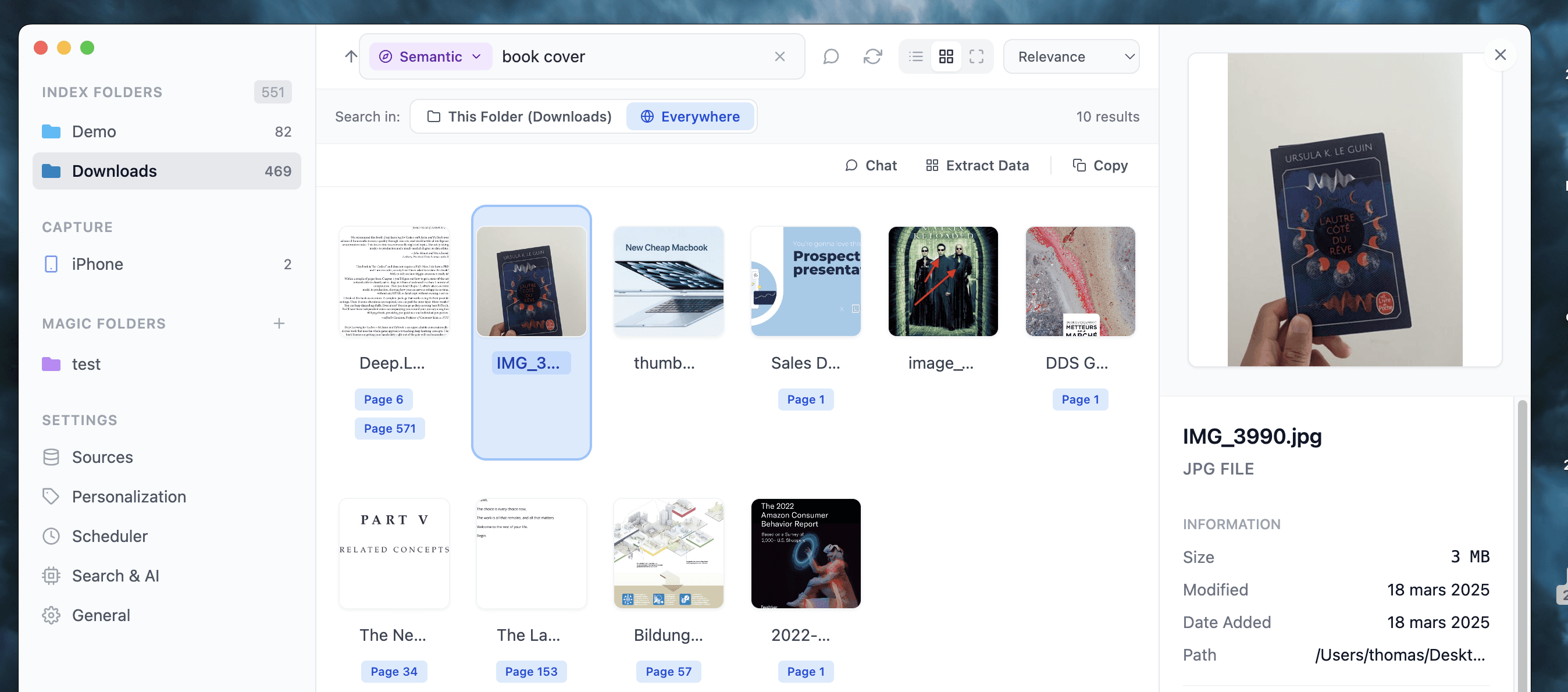
semantic meaning
hybrid search
file similarity
face recognition
visual content
text inside images and videos
So instead of trying to remember the file name, you search what you actually remember.
That is how file search should work.
Search inside the files, not around them
The biggest difference is content.
Fenn can search inside 50+ file types.
That means your files stop being black boxes.
You can search inside:
PDFs
documents
spreadsheets
presentations
images
screenshots
audio
video
RAW files
legacy files
Pages and Keynote files
design and creative files
If the important thing is inside the file, Fenn is built to find it.
Finder and Spotlight usually stop too early.
Fenn goes inside.
One app to search, chat, organize, and act
Search is only the start.
Fenn also lets you:
chat with files privately
run agentic search across files
extract data from files into CSV
auto-organize folders with rules
create Magic Folders
rename files with AI based on content
find and remove duplicate files
extract audio and video transcription
search text inside images and videos
search files by similarity
That makes Fenn more than a search tool.
It becomes a private file workspace.
You can find the file, understand the file, organize the file, and turn the data inside it into something useful.
Why Apple probably will not build this
We do not expect Apple to solve this problem .
Not because Apple cannot build good software.
But because Apple has to build for the average Mac user, not for every professional workflow.
Fenn is built for demanding professional.
The real world is full of files Apple does not control:
Excel files
PDFs
InDesign files
Photoshop files
RAW camera formats
video archives
audio recordings
scanned documents
old exports
client folders
weird legacy formats
Professionals do not live only in Apple apps.
They live in messy folders full of real work.
Fenn takes a different approach.
It is built specifically for your local files.
The goal is not to make macOS look smarter.
The goal is to make your actual file system useful again.
The bottom line
Finder helps when you know where the file is.
Spotlight helps when you know what to type.
Fenn helps when you remember what the file was about.
That is the real difference.
It gives your Mac the file intelligence layer Finder and Spotlight never became.
Download Fenn and find the moment, not the file.