WWDC 26: Apple Improves Spotlight in macOS 27 ?

WWDC 26: Apple Improves Spotlight in macOS 27
Apple finally talked about search again.
At WWDC 26, Apple announced that it has rebuilt the search infrastructure behind Spotlight, Photos, and Mail across its next-generation platforms. According to the keynote, Apple says the new index is more stable, efficient, and comprehensive, and that new content should become searchable almost immediately.
That is good news.
Spotlight has needed serious work for years.
But if you are looking for a better way to search files on Mac, the real question is not:
“Did Apple improve Spotlight?”
The real question is:
“What can it actually search?”
The part Apple did not really show
The strange thing about the new Spotlight search announcement is that file search was one of the least demonstrated parts.
Apple talked about a rebuilt search foundation. Reports mention Spotlight, Photos, Mail, faster indexing, and better infrastructure.
But they didn't show real file search examples.
What we did not really get was the practical workflow:
Search for something inside a file.
Show the matching files.
Show which file formats work.
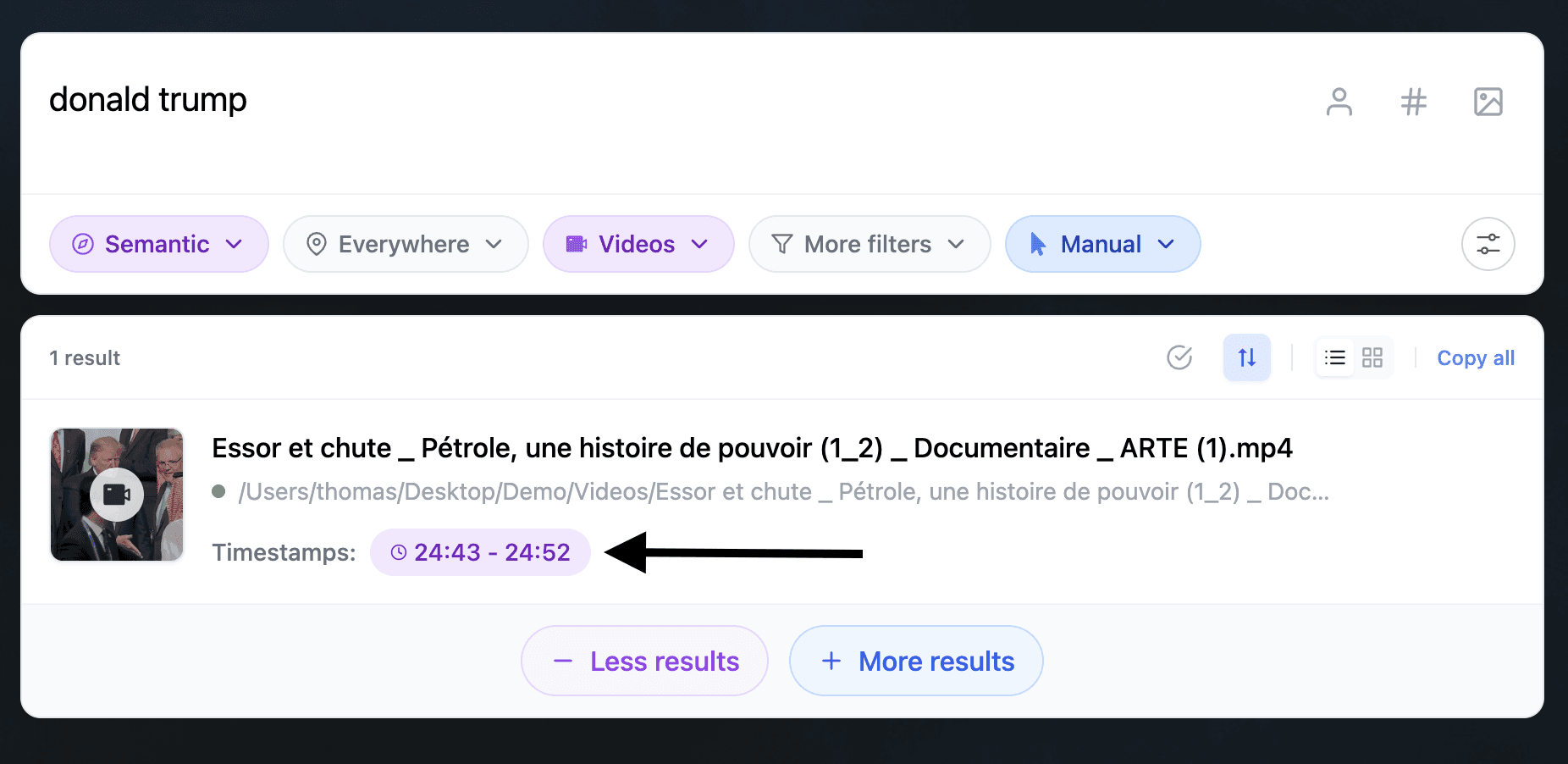
Jump to the exact page, slide, frame, or timestamp.
Show what happens with non-Apple files.
That is the part that matters for real Mac users.

Illustration from the WWDC 26 keynote to illustrate the new file search infrastructure. But for now we didn't get much more informations or real life examples.
“Files” is a very big word
When Apple says search across files, photos, and mail, that sounds great.
But professionals do not only use clean Apple ecosystem files.
Real Mac workflows include:
PDFs
Excel spreadsheets
Word documents
PowerPoint decks
InDesign files
Figma files
Sketch files
Photoshop files
Illustrator files
RAW photos
email archives
audio recordings
video files
scanned documents
old
.doc,.ppt, and.rtffilesApple Notes
Pages and Keynote files
technical files
client folders
invoices
contracts
So until Apple gives a clear compatibility list, the big question remains:
Will macOS 27 Spotlight search the files people actually use every day?
Or will it mostly work best inside Apple’s own apps and formats?
Fenn already indexes 60+ real-world file types
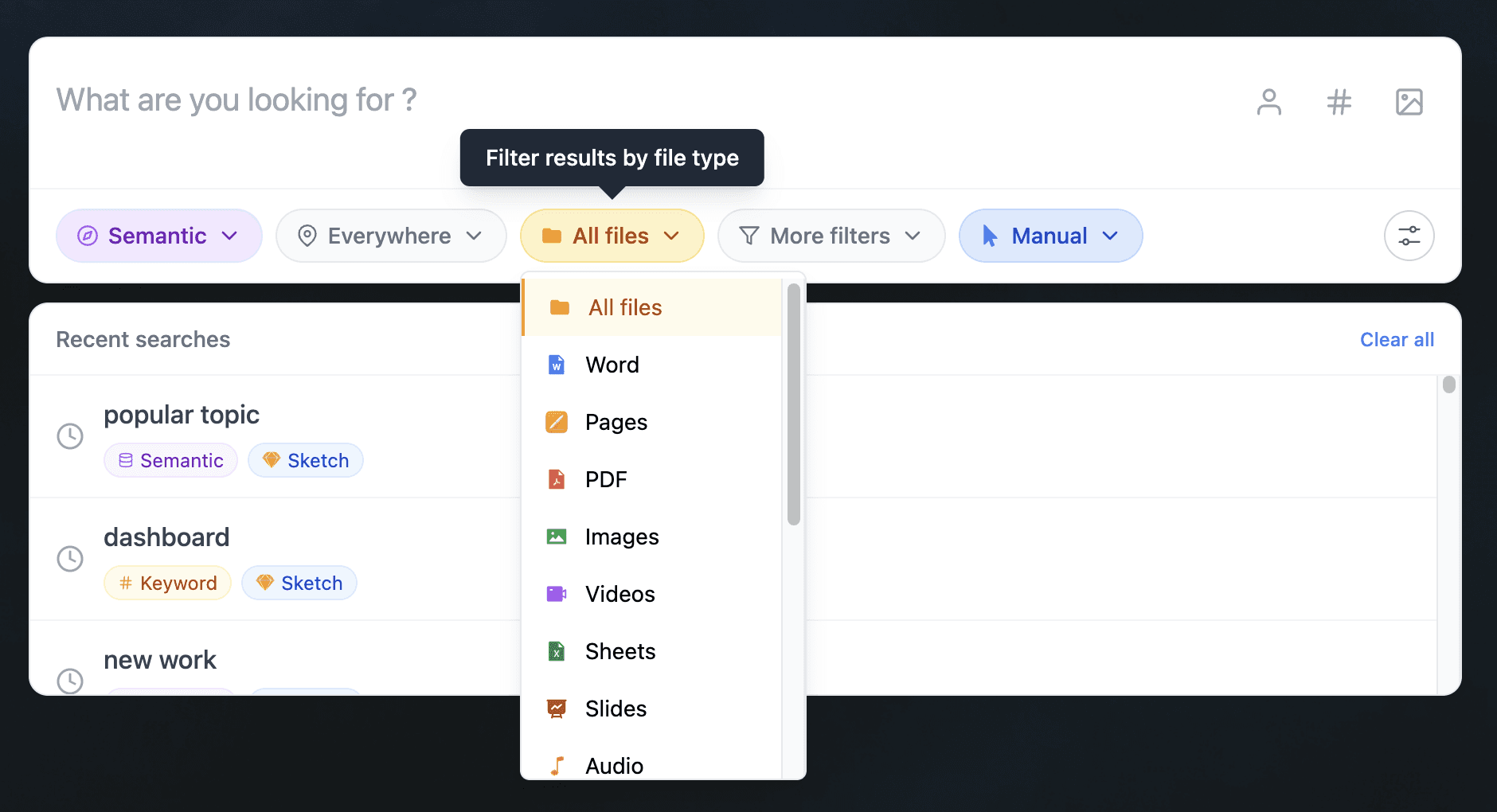
Fenn is built for the files on your actual Mac.
Not only the clean demo files.
Not only Apple formats.
Fenn can search and index 60+ file types across documents, images, email, Adobe files, ebooks, audio, video, technical files, and notes.
That includes:
Documents:
.pdf.docx.doc.rtf.pages.xlsx.pptx.ppt.key.odt.ods.odp
Images:
.jpg.jpeg.png.webp.tiff.tif.gif.bmp.heic.heif.avif
RAW images:
.cr2.nef.raf.dng.arw.rw2.orf
Email:
.eml.emlx.olk15MsgSource.mbox
Adobe files:
.indd.ai.psd
Ebooks:
.epub
Audio:
.mp3.wav.flac.aac.aiff.ogg
Video:
.mp4.mov.avi.mkv.wmv.m4v
Technical files:
.txt.md.webarchive.py.js.jsx.ts.tsx.html.ipynb
Applications:
Apple Notes
Search should find the exact place, not just the file
Better indexing is useful.
But finding the file is not always enough.
If you search inside a 120-page PDF, you want the exact page.
If you search inside a presentation, you want the exact slide.
If you search inside a video, you want the exact frame or timestamp.
If you search inside an audio recording, you want the moment where it was said.
That is where Fenn is different.
Fenn is a precision search engine for your Mac. It does not just return the file. It helps you jump to the page, frame, slide, or timestamp where the result appears.
That is what file search should feel like.
Fenn is also more than search
Fenn is Private AI that finds any file on your Mac.
Search is the core, but Fenn also helps you:
search with semantic and keyword modes
run agentic search across files
search by content similarity
search faces
chat with files privately
auto-organize folders
find and remove duplicates
rename files with AI
extract file data to CSV
transcribe audio and video
capture on iPhone and find on Mac
That turns your Mac files into something you can actually use, not just browse manually.
Privacy matters when search gets this powerful
A search engine for your whole Mac has to be private.
Your files contain contracts, invoices, client work, screenshots, recordings, photos, emails, notes, and archives.
Fenn indexes locally on your Mac.
Your files stay on your Mac.
Your searches stay on your Mac.
Your private work does not need to be uploaded to a cloud AI provider just to become searchable.
The bottom line
Apple improving Spotlight in macOS 27 is good news.
But the announcement still leaves a big question open:
Will Spotlight understand the messy, real-world files professionals actually use?
Fenn already does.
It searches inside 60+ file types, works locally, supports semantic and keyword search, and jumps to the exact place where the answer appears.
Download Fenn and find the moment, not the file.