Search Craft Notes on Mac
Search Craft Notes on Mac
You remember writing it down.
But where?
Was it in Craft?
A PDF?
A Word document?
A screenshot?
A presentation?
A meeting transcript?
Your notes and files may belong to the same project, but they usually live in separate apps with separate search boxes.
Fenn now lets you search your Craft notes from the same place you search the rest of your Mac.
Your Craft notes are only one part of your work
Craft is useful for capturing ideas, meeting notes, project plans, research, checklists, and internal documentation.
But the full context rarely lives inside one note.
A project may also include:
PDF briefs
Word documents
spreadsheets
presentations
screenshots
design files
audio recordings
videos
email archives
contracts and invoices
When every source has its own search system, finding one detail becomes slower than it should be.
You search Craft.
Then Finder.
Then your Downloads folder.
Then an external drive.
Then maybe your email archive.
The information exists, but it is fragmented.
Search Craft notes alongside your files
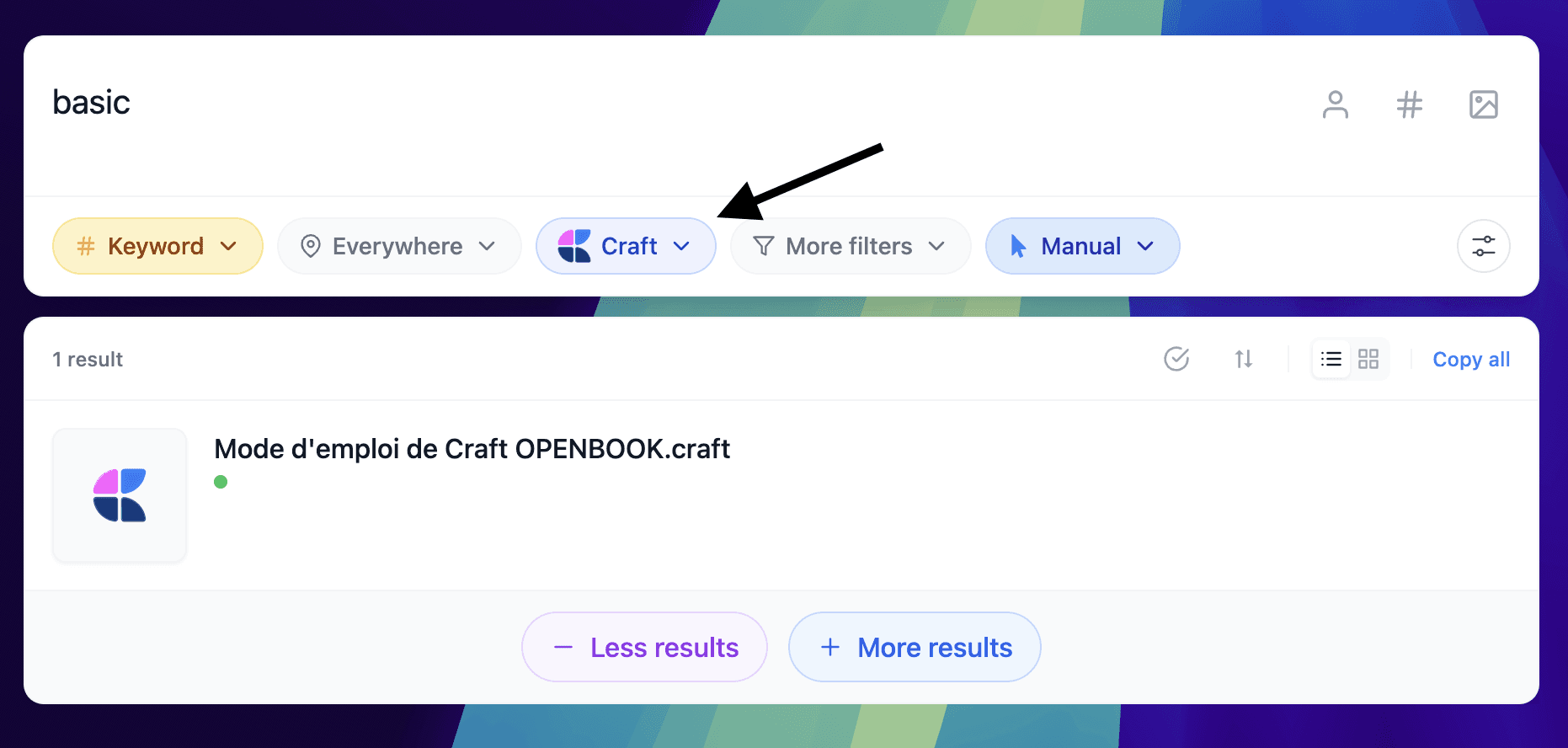
Fenn brings Craft notes into the same search experience as your other Mac files.
You can search for a client, project, phrase, person, deadline, or topic and see relevant Craft notes alongside matching documents and media.
For example, a search for a product launch could return:
the planning note in Craft
the client brief in PDF
the budget spreadsheet
the presentation deck
a screenshot from the old design
a meeting recording
the final contract
You no longer need to remember which app contains the answer.
You only need to remember the information.
Search by what you remember
You may not remember the exact title of a Craft note.
You may remember only a sentence or idea inside it.
For example:
“meeting notes about the new pricing”
“the note containing the launch deadline”
“research about private local AI”
“client feedback on the onboarding flow”
“project plan for the website migration”
Fenn helps you search using the content you remember.
That is more useful than relying only on perfectly named notes, folders, or documents.
One search bar for the full project
A note often explains the context around a file.
You may have written a summary in Craft, while the source material lives in a PDF.
You may have stored meeting decisions in Craft, while the presentation and spreadsheet live elsewhere.
You may have captured client feedback in a note, while the related designs are stored in Figma or Sketch.
Fenn lets you search these sources together.
That means you can find the note, then immediately retrieve the files connected to it.
Fenn is not replacing Craft.
It is making Craft part of a wider private search system for your Mac.
Private search for private notes
Craft notes can contain sensitive information.
They may include:
client details
meeting decisions
business plans
product ideas
internal research
project deadlines
personal notes
That information should not need to be uploaded to a cloud AI provider just to become searchable.
Fenn indexes and searches locally on your Mac.
Your Craft notes stay on your Mac.
Your file index stays on your Mac.
Your searches stay on your Mac.
Fenn is Private AI that finds any file on your Mac.
More than Craft search
Craft support is one part of Fenn.
Fenn can also help you:
search inside 60+ file types
search PDFs, documents, images, audio, video, email archives, Figma files, and Sketch files
jump to exact pages, slides, frames, and timestamps
chat with files privately
run Agentic search across files
create self-organizing folders
find and remove duplicate files
rename files with AI
extract file data into CSV
search anything you saw, heard, or said on your Mac
The goal is to make all your work searchable from one place.
The bottom line
Your Craft notes should not be separated from the files they describe.
With Fenn, you can search Craft notes alongside PDFs, Word documents, spreadsheets, presentations, screenshots, recordings, and other important content on your Mac.
One search bar.
Private and local.
Built for your real workflow.
Download Fenn and find the moment, not the file.
Related reading: