Search Bear Notes on Mac

Search Bear Notes on Mac
Bear is where many Mac users keep ideas, research, meeting notes, project details, checklists, and personal knowledge.
But those notes are only one part of your work.
The related contract may be in a PDF.
The project brief may be in Word.
The screenshot may be in a folder.
The presentation may be in Keynote or PowerPoint.
The important information is spread across different apps and file types.
Fenn now lets you search your Bear notes from the same search bar you use to search the rest of your Mac.
The pain: your notes are separated from your files
You may remember writing something down, but not where.
Was it in Bear?
A PDF?
A Word document?
A meeting transcript?
A screenshot?
An email archive?
Searching each app separately breaks your focus and wastes time.
The problem is not that the information is missing.
The problem is that every app has its own search box.
Search Bear notes alongside everything else
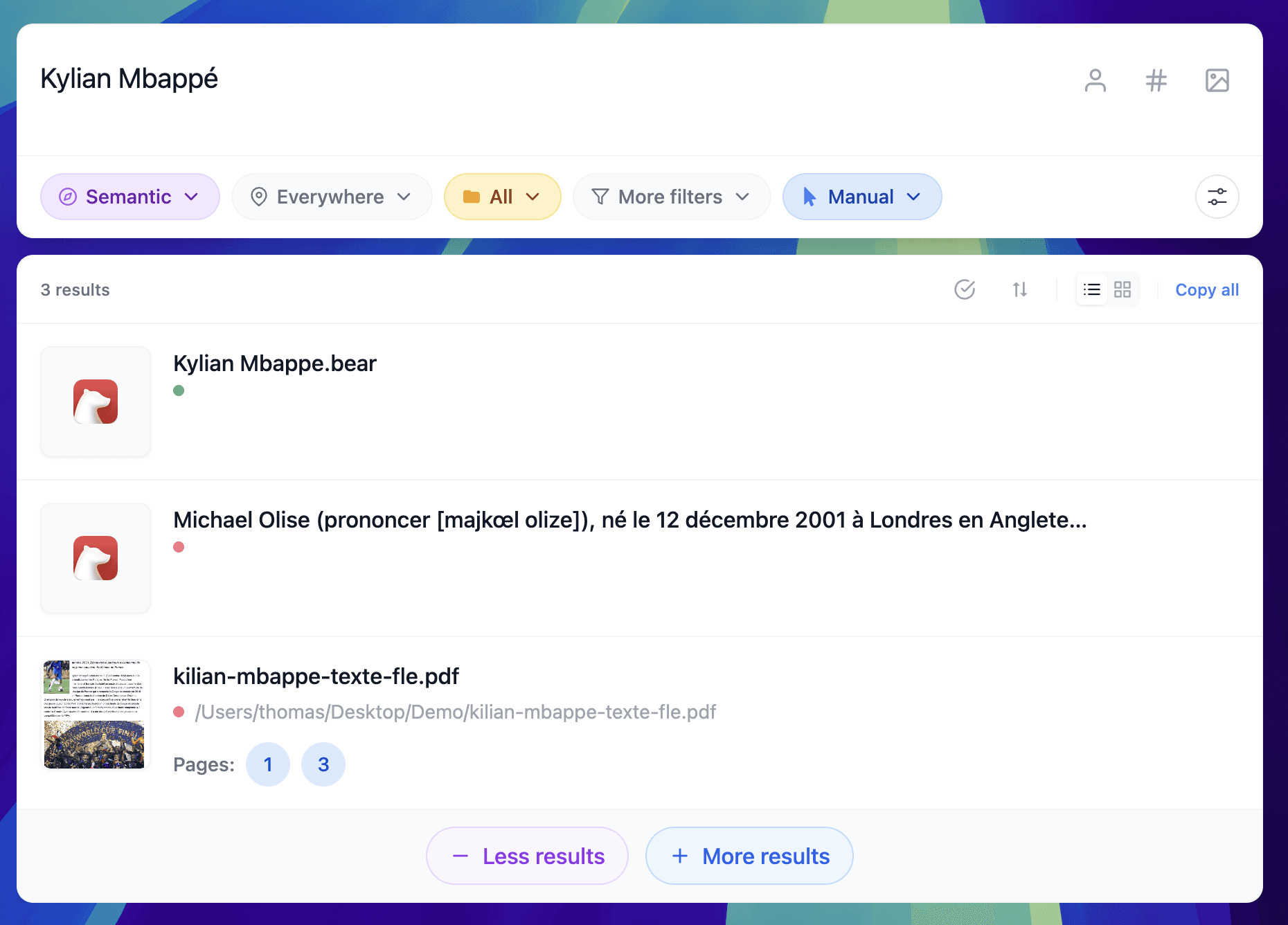
Example of a search with results from the Bear app and PDF
With Fenn, Bear notes become part of your wider Mac search.
You can search for a project, client, phrase, person, or topic and see relevant Bear notes alongside results from:
PDFs
Word documents
spreadsheets
presentations
images and screenshots
audio and video
email archives
Apple Notes
Figma and Sketch files
This gives you one place to search across your notes and the files connected to them.
[Screenshot placeholder: Fenn search results showing a Bear note beside PDF and Word results]
Search by what you remember
You may not remember the note title.
You may only remember a sentence, topic, client name, or detail written inside it.
For example:
“meeting notes about the product launch”
“research about local AI privacy”
“client feedback about the homepage”
“the note containing the renewal deadline”
“ideas for the onboarding redesign”
Fenn helps you search based on the content you remember, not only the note title.
One search bar for the whole project
A Bear note rarely exists alone.
It may refer to a contract, invoice, deck, screenshot, recording, or design file.
Searching everything together makes it easier to reconstruct the full context.
You can find the note where you captured the idea, then locate the PDF, presentation, or image connected to it.
That is more useful than searching Bear in isolation.
Private and local
Notes often contain sensitive information.
They may include private thoughts, client details, meeting notes, passwords hints, business plans, or confidential research.
Fenn indexes and searches locally on your Mac.
Your Bear notes stay on your Mac.
Your search index stays on your Mac.
Your searches stay on your Mac.
You do not need to upload your notes to a cloud AI provider to make them searchable.
More than Bear search
Bear support is one part of Fenn.
Fenn also helps you:
search inside 60+ file types
jump to exact pages, slides, frames, and timestamps
chat with files privately
run Agentic search across files
create self-organizing folders
rename files with AI
find and remove duplicates
extract file data into CSV
search anything you saw, heard, or said on your Mac
The goal is simple:
Make all your work searchable from one place.
The bottom line
Your Bear notes should not be separated from the rest of your files.
With Fenn, you can search Bear notes alongside PDFs, Word documents, screenshots, presentations, recordings, and other important content on your Mac.
One search bar.
Private and local.
Built for the files and notes you actually use.
Download Fenn and find the moment, not the file.
Related reading: