You Should Buy the Latest Mac mini

Apple just gave people a new reason to buy a Mac mini.
Not because apps open slightly faster.
Not because exports finish a little sooner.
Because local AI is becoming genuinely useful on a small desktop Mac.
Apple’s latest Mac mini comes with M6 or M5 Pro, and Apple itself is now talking about running AI models directly on the machine. It even uses LM Studio when demonstrating local model performance.
That matters if you work with information you would rather not upload to somebody else’s servers.
Cloud AI is convenient. Your files are still private.
ChatGPT and Claude are incredibly convenient.
But professional work often contains things you do not casually want to send to a cloud service:
confidential contracts
financial documents
private research
source code
client files
personal archives
internal company documents
sensitive meeting notes
Local AI gives you another option.
The model runs on your Mac.
Your documents stay on your Mac.
You can work without making a cloud provider part of every interaction.
That is the interesting part of the new Mac mini.
Apple is taking local AI seriously
Until recently, running AI locally could feel like something mostly for enthusiasts.
Apple’s messaging around the new Mac mini is different.
Apple explicitly presents it as a machine for on-device AI and local models.
That means local AI is moving closer to a normal Mac workflow.
You do not necessarily need a giant workstation sitting under your desk.
For many people, a Mac mini can become a small private AI computer that is always available when you need it.
This is where Fenn becomes useful
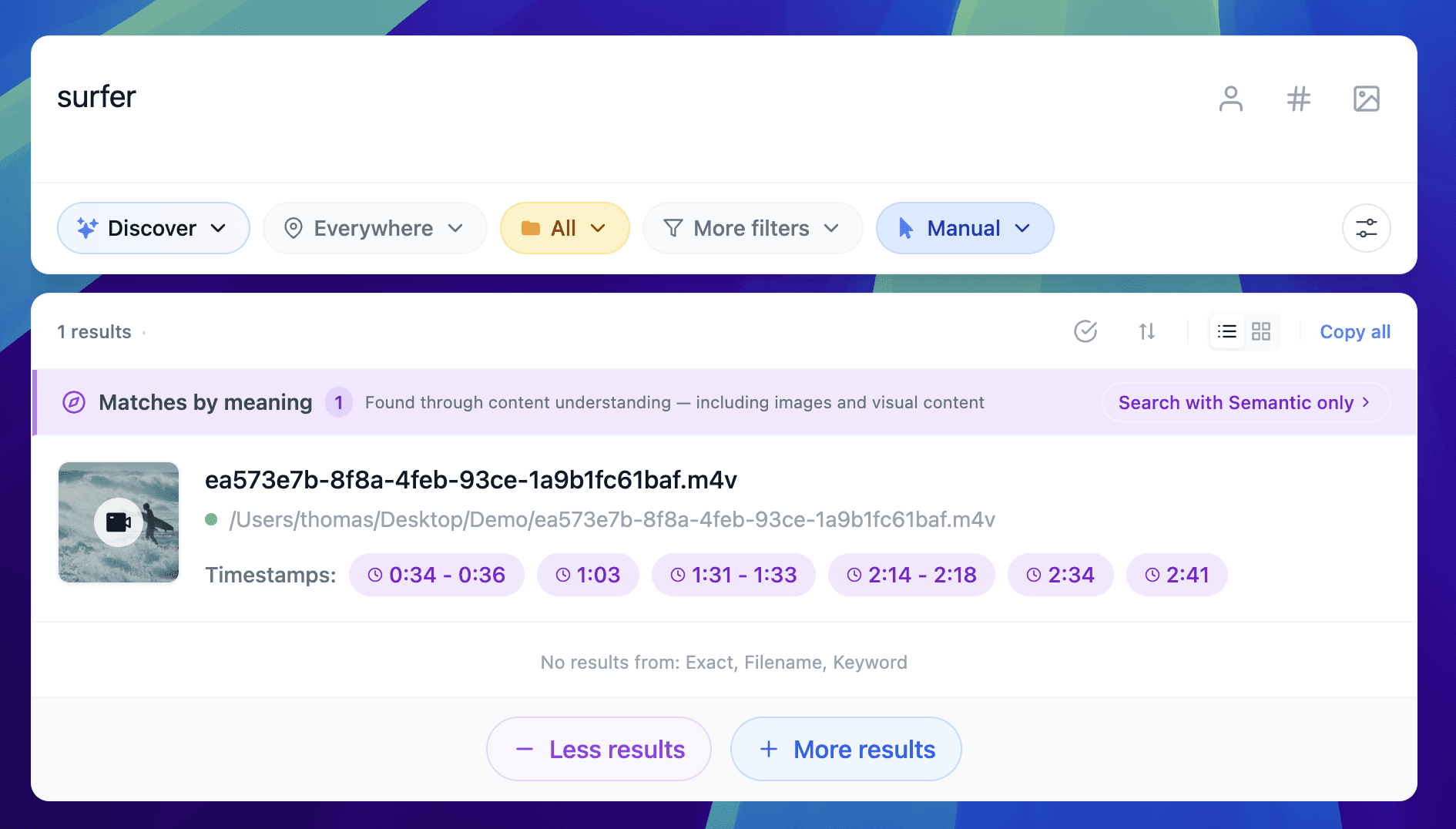
A powerful local model is great.
But by itself, it does not automatically know what is inside your Mac.
It does not know where that contract is.
It does not know which PDF contains the clause you remember.
It does not know which meeting recording mentioned the deadline.
It does not know where the old client brief is stored.
Fenn provides that missing layer.
Fenn is Private AI that finds any file on your Mac.
It indexes your files locally and lets you search and work with them using private AI.
You can search PDFs, documents, images, notes, email archives, audio, video, Figma files, Sketch files, and more.
You can ask questions across files with Agentic Search.
You can chat with files.
You can find exact pages, slides, frames, and timestamps.
And when you use a local model, the workflow can stay on your Mac.
Your Mac becomes more than a computer
This is the part I find interesting about the new Mac mini.
You are not only buying a faster desktop.
You can turn it into a private AI machine for your own information.
Imagine asking:
“Find the contract where we discussed automatic renewal.”
“Which meeting mentioned the September deadline?”
“Find every document related to Project Atlas and summarize what changed.”
“Where did I save the research about local AI privacy?”
The useful part is not simply having an AI model.
It is giving that model access to the right context while keeping the context private.
That is what Fenn is built for.
Do you need to upgrade?
If you already have a recent Apple silicon Mac that comfortably runs the local models and workflows you need, keep it.
You do not need new hardware because Apple released something new.
But if you are already looking for a desktop Mac and you care about local AI, privacy, and confidential work, the latest Mac mini is very compelling.
For most people experimenting with local AI, the standard Mac mini is the natural starting point.
If local AI will be an important part of your daily work and you want more room for larger models, the Mac mini with M5 Pro becomes more interesting.
You do not need to understand every benchmark.
The important idea is much simpler:
More of your AI workflow can now happen on your desk instead of in the cloud.
The bottom line
The latest Mac mini is interesting because Apple is making local AI a first-class use case.
For privacy-conscious professionals, that changes what a small desktop Mac can be.
Run the model locally.
Keep the confidential files locally.
Use Fenn to search and work across them privately.
If you are buying a Mac mini now, local AI might be the best reason to choose the new one.
Download Fenn and find the moment, not the file.