Mac mini vs Mac Studio for private AI, which should you buy
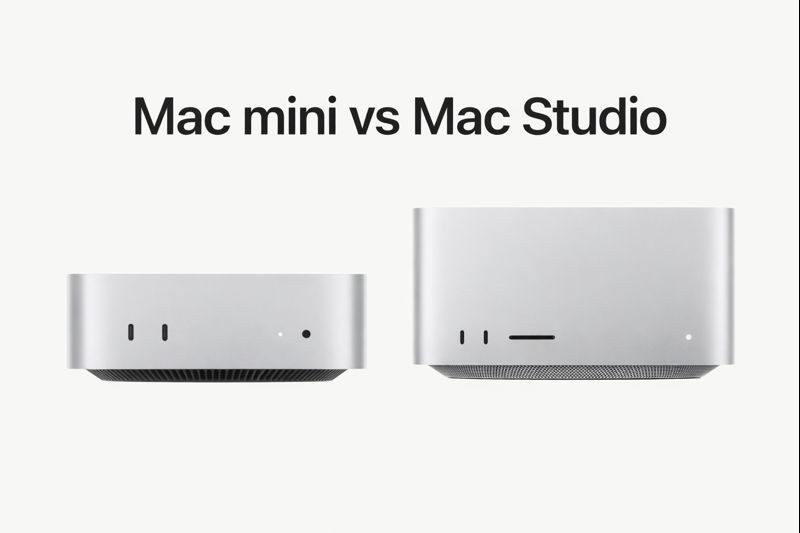
Mac mini vs Mac Studio for private AI, which should you buy
If you want private AI, your Mac matters.
Local AI is not a browser tab. Models run on your machine, your files stay on your disk, and the one spec that decides how far you can push it is unified memory.
So which Apple silicon desktop should you buy for private AI, the Mac mini or the Mac Studio?
This guide is simple and honest. It focuses on what actually affects local AI and real workflows with tools like Fenn, where you index your files on device and chat with them without sending data to a cloud.
Download Fenn for Mac. Private on device. Find the moment, not the file.
The short answer
Buy a Mac mini if you want the best value desktop and your private AI workload is moderate. Put your money into RAM first.
Buy a Mac Studio if you want maximum headroom for larger local models, bigger indexes, and heavier “ask one question, analyze everything” workflows.
If you are choosing between more chip and more memory, for private AI the memory usually wins.
Why private AI makes this decision different
For normal computing, both machines feel fast. For private AI, you are doing something specific:
Loading model weights into unified memory
Searching and summarizing large sets of PDFs, docs, screenshots, and Mail
Running multi step queries that pull information across your archive
Keeping everything on device for privacy and offline use
This is where Mac Studio earns its reputation. It is built for sustained, heavy workloads with much higher memory ceilings.
But that does not mean the mini is a bad choice. In many real workflows, a well configured Mac mini is the best deal in Apple’s lineup.
A simple comparison
Category | Mac mini | Mac Studio |
|---|---|---|
Best for | Value desktop setups, moderate local AI | Workstation workflows, heavy local AI |
Memory ceiling | Lower | Much higher |
Real world private AI feel | Great if you buy enough RAM | Smoother under heavy loads, fewer compromises |
File indexing and search | Fast | Very fast, more headroom for huge libraries |
Local model headroom | Good | Better, especially for larger models |
Noise and size | Tiny, quiet | Still compact, more workstation oriented |
Price | Lowest entry | Higher, but scales with serious configs |
What to buy if you are a Mac mini person
Mac mini is the right pick if:
You already have a monitor and peripherals
You want maximum value per dollar
Your archive is not massive, or you are fine starting with key folders
You want private AI for documents, Mail, screenshots, and daily work, not research lab scale workloads
The Mac mini buying rule for private AI
Configure for memory first.
A Mac mini with more RAM will feel better for private AI than a slightly faster chip with less RAM.
Private AI workloads are memory hungry:
Larger local models want more unified memory
Bigger indexes and more open apps want more headroom
Chat and agentic workflows feel smoother with fewer memory constraints
What Mac mini unlocks with Fenn
On a Mac mini, Fenn can:
Index your work folders on device
Search PDFs, docs, screenshots, and Apple Mail locally
Let you switch between Semantic, Keyword, Hybrid, and Exact search
Let you chat with your own files without uploading anything
Stay usable offline
For most people, that is the entire promise of private AI on a desktop.
What to buy if you are a Mac Studio person
Mac Studio is the right pick if:
Your Mac is a workstation, not just a desktop
You want more unified memory headroom for local models and large archives
You work with heavy files, large PDFs, big Mail archives, creative assets, or research libraries
You want agent style workflows to run comfortably across large sets of documents
Mac Studio is also the easiest way to build a “private AI machine” that still looks like a normal Mac on a desk.
The Mac Studio advantage for private AI
With more headroom, you get:
More comfortable local chat sessions over big collections
Better performance when multiple heavy apps are open
Less need to limit what you index
Better long term future proofing if you expect local models to keep getting bigger
If you are the kind of person who bought a 2 TB SSD and fills it, Studio aligns with that reality.
The decision most people actually need to make
For private AI, this is the real question:
Do you want a desktop that is:
A great value machine that can run private AI well, if you configure memory properly
orA headroom machine that lets you push local AI harder with fewer compromises
If you want a simple way to decide:
Choose Mac mini if
You want the deal
You are fine indexing key folders first
You do not need workstation level headroom
You prefer spending on RAM, not on the chassis
Choose Mac Studio if
You want to index everything and not think about limits
You run heavy apps alongside local AI
You want local AI to feel smooth even when your archive and workload are large
You want the best “private AI desktop” Apple sells today
If you can wait, what to watch next
If your main goal is private AI performance and you are not in a hurry, waiting can be rational.
Newer Apple silicon generations tend to bring:
Better efficiency
Better unified memory bandwidth
Faster on device AI performance
If the next high end refresh brings meaningful improvements, it will matter most for people who want local AI to be a primary workflow.
That said, if you have work to do now, you do not need to wait. Private AI is already useful today on Apple silicon.
How Fenn fits into your desktop choice
Fenn is built around a simple promise: Find the moment, not the file.
Instead of organizing everything perfectly, you:
Install Fenn
Index the folders you choose
Search or chat in natural language
Get answers grounded in your own files
Keep everything private on device
On both Mac mini and Mac Studio you get:
On device indexing for privacy
Search modes for precision
Chat mode for natural language questions about your files
Offline access because everything lives locally
The difference is how far you can push it.
Mac Studio gives more headroom for:
Bigger libraries
Heavier chat sessions
More frequent agentic analysis
Less “I should close things” pressure
Mac mini is still a strong private AI machine when you configure RAM intelligently.
Recommended setups
Best value setup
Mac mini with as much unified memory as you can afford, plus enough SSD space for your index and archive.
Best “buy once” setup
Mac Studio with high unified memory if you expect to keep growing your archive, work with heavy assets, or rely on local AI daily.
Pricing
Once you have the right Mac, the best upgrade is a tool that actually uses it.
Local, 9 USD per month, billed annually
On device indexing. Semantic and keyword search. Chat mode on 1 Mac. Updates. Founder support.Lifetime, 199 USD one time
On device indexing. Semantic and keyword search. Chat mode on 1 Mac. 1 year of updates. Founder support.
If you want private AI that lives with your files, choose the Mac that gives you enough memory headroom, then install Fenn and let your desktop do the work.
Download Fenn for Mac. Private on device. Find the moment, not the file.