The Gemini Siri Delay: Why iOS 26.4 Was Never a Promise
The Gemini Siri Delay: Why iOS 26.4 Was Never a Promise
If you have been waiting for the “new Siri” to finally arrive, today’s news probably felt familiar.
A Bloomberg report, summarized widely, says Apple originally aimed to ship Gemini-powered Siri upgrades in iOS 26.4 (expected around March), but is now considering spreading features into iOS 26.5 (May) and possibly iOS 27 (September).
That sounds like a delay, but it also exposes a more important point.
iOS 26.4 was never a promise.
Apple never gave a public ship date beyond “later this year.” The date was an internal target, a rumor target, or a reporting target. Those are not the same as a commitment.
What was rumored for iOS 26.4, and what is now reportedly slipping
According to the reporting, two headline capabilities are running behind:
Siri using personal data (example given: searching old messages to find something a friend sent, then acting on it).
Voice-based control of in-app actions, one of the “do things across apps” features Apple previewed as part of Siri’s evolution.
The key nuance is that some features may still arrive within the iOS 26 cycle, but not necessarily in the iOS 26.4 window people fixated on.
Why iOS 26.4 was never a promise
Apple’s public communication has been consistent in one way: it has not pinned a date.
Back in June 2024, Apple previewed a more capable Siri as part of Apple Intelligence, with examples like taking actions in and across apps and using on-screen context. That announcement was more about direction and capability than a calendar deadline.
So if you built your plans around “iOS 26.4 in March,” you were really planning around expectations created by reporting and rumor cycles, not Apple’s commitments.
Why these Siri features are hard to ship well
Two reasons matter for anyone who cares about reliability and privacy:
1) It is not just a model, it is a product
A Siri that can act across apps and use personal context has to be safe, predictable, and hard to abuse. If internal testing finds edge cases, it makes sense to slow down.
2) “Personal data” features raise the bar
The more Siri touches messages, emails, files, and app state, the more important it becomes to be precise about what is accessed, what is processed where, and what is retained. That is exactly why these features tend to slip.
The practical takeaway for privacy-focused professionals
If your day involves confidential documents (client work, contracts, financials, HR, medical, internal strategy), “waiting for Siri” is not a workflow.
Even Apple’s own software update cadence this week was a reminder that security and stability are constant work, with iOS 26.3 shipping a large set of security fixes.
So instead of planning around a future assistant release, separate your needs:
Writing help and general assistant tasks can wait.
Finding information inside your files is a daily pain, and it is solvable now, privately.
What to do in the meantime: private file search and private chat with your files
If the reason you were excited about “personal context Siri” is really this:
“I want to ask a question and get the answer from my own documents, without uploading them to someone else.”
Then you do not need to wait.
With Fenn, you can add a private intelligence layer on your Mac:
Search inside PDFs, documents, slides, screenshots, scans, audio, and video
Jump directly to the exact page, slide, frame, or timestamp
Use Agent search for complex queries and Chat mode for answers
Keep your files on-device, so your confidential data is not shipped to OpenAI, Google, or Claude for processing
That is the core difference: a general assistant roadmap is nice, but file intelligence is what saves real time every day.
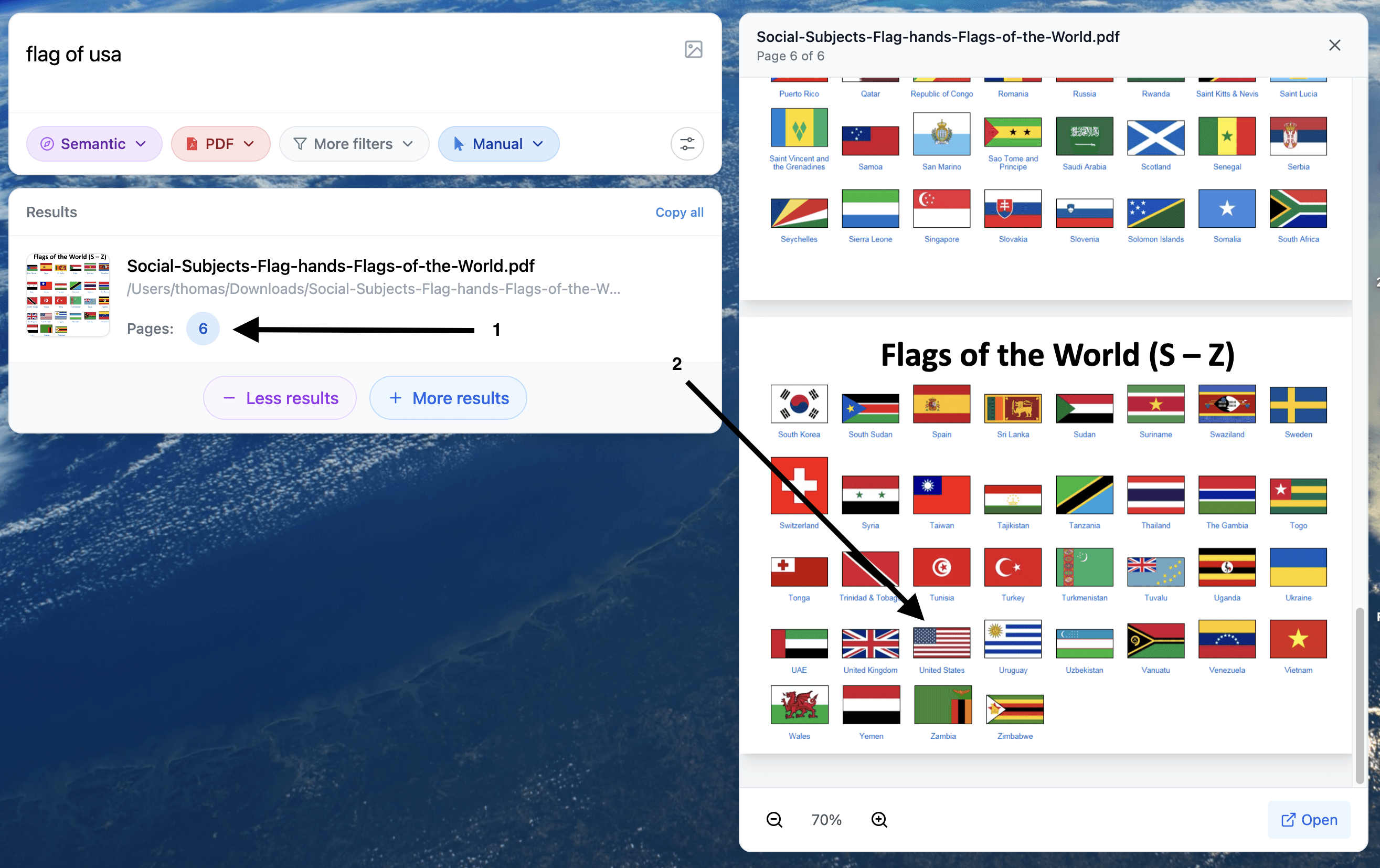
Example of search of a visual element inside a PDF
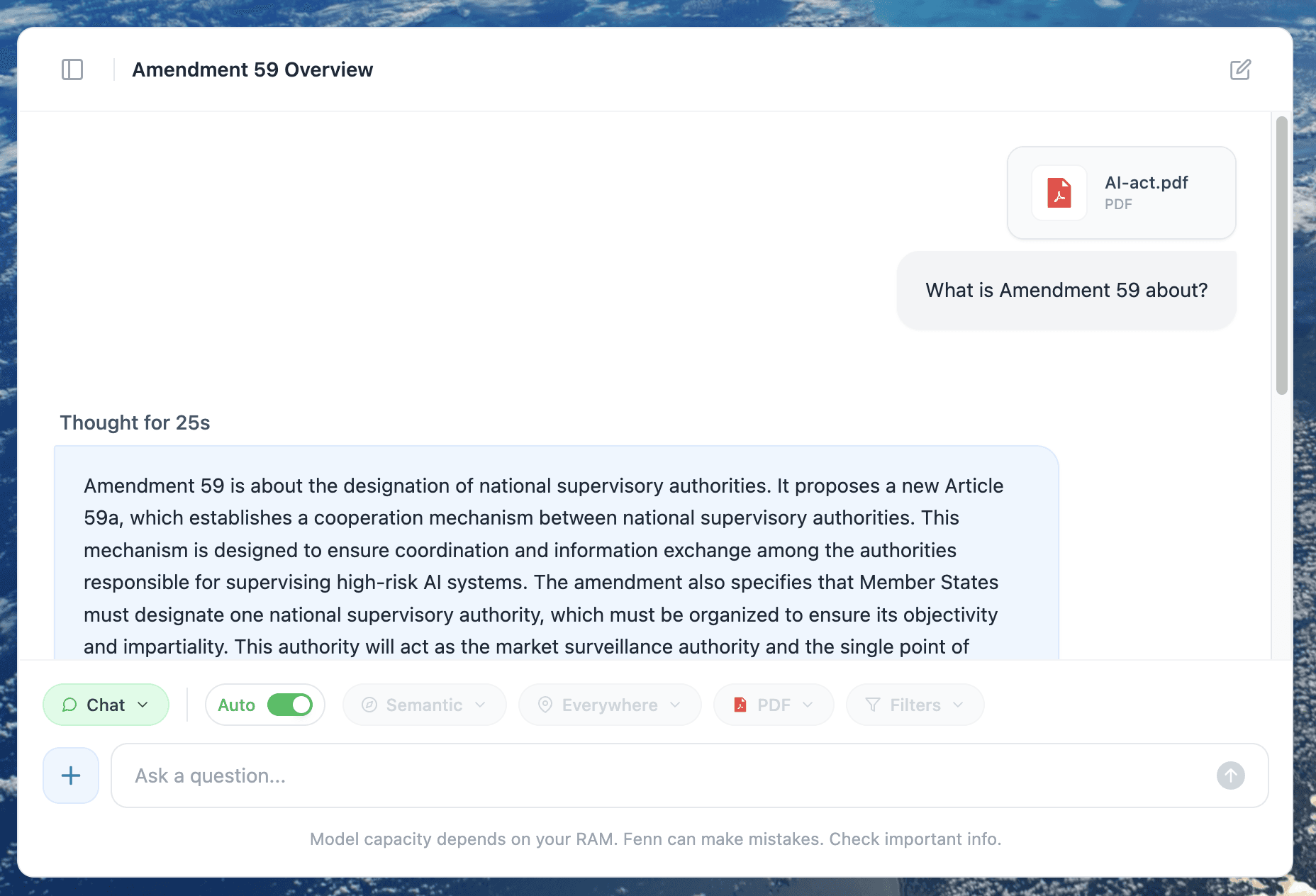
Chat mode in Fenn enabling you to extract content from your files 100% privately.