Privacy is Freedom
Privacy Is Freedom
AI is becoming a utility. The same way you need electricity to work, you will soon assume you can ask questions, summarize, extract, and automate whenever you want.
That is exactly why privacy is freedom.
When your intelligence layer lives in someone else’s cloud, you do not just outsource compute. You outsource availability, policy, pricing, and control. For professionals, that is not a hypothetical risk. It is a daily operational risk.
The cloud AI dependency trap
Cloud AI feels like magic because it is instant: paste, ask, done. But the convenience hides a dependency curve:
you build habits around one provider
your team builds workflows around it
your data and context live there
your productivity becomes conditional on access
Freedom means you can keep working even when the internet is down, the vendor changes terms, or your account gets flagged. Privacy is the path to that freedom because it keeps capability local.
The risks of relying on cloud AI
1) Your AI can be turned off
Accounts get rate-limited. Regions get blocked. Policies change. Features disappear behind higher tiers. “Temporary” outages happen at the worst time.
If AI is part of how you work, you need it to be reliable like a calculator, not a subscription gate.
2) Bankruptcy and product shutdown risk
Startups die. Bigger companies kill products. The AI boom is full of tools that will not exist in two years.
If your workflow depends on a vendor that disappears, you lose more than a tool. You lose a capability.
3) Censorship and policy drift
Content policies change over time. What you can ask, how you can phrase it, and what gets refused can shift without warning.
This matters even for normal business work, like compliance analysis, HR policy, legal review, or investigations. You cannot build critical workflows on rules you do not control.
4) Your data is a liability once it leaves your device
Even with good intentions, cloud AI creates risk surfaces:
accidental inclusion of sensitive info in prompts
retention for debugging or abuse monitoring (varies by provider and plan)
misconfiguration in enterprise deployments
exposure through breaches, insider access, or third-party integrations
For lawyers, finance, healthcare, consulting, and anyone handling client materials, “don’t paste confidential stuff” is not a strategy. It is a warning label.
5) Training and reuse concerns
Some providers allow training on user content by default in certain contexts, and others require opt-outs. Even when training is off, data can be used for safety, abuse detection, and product improvement in ways that feel ambiguous to normal users.
The point is not to argue about one vendor’s policy. The point is that you do not control the rules, and the rules can change.
6) Security and prompt-injection risks escalate with retrieval
The more you connect cloud AI to your tools (Drive, email, docs, knowledge bases), the more you create a high-value target. Prompt injection, malicious documents, and compromised integrations can turn “helpful assistant” into “data exfiltration channel.”
Offline, on-device workflows shrink this blast radius.
7) Cost volatility and usage taxes
Cloud AI pricing is not stable. Models get more expensive. Limits tighten. Enterprise plans add complexity. “Cheap” can become “mandatory line item” fast once a team depends on it.
Owning compute means predictable cost: you already paid for the machine.
8) Jurisdiction, legal discovery, and compliance friction
When data flows through third-party servers, you inherit questions about where it was processed, what laws apply, and how to document compliance. Even if your vendor is strong, the administrative overhead grows.
On-device AI keeps more of that complexity off your plate.
What freedom looks like in practice
Freedom is not “never use the cloud.” It is having a default that keeps you safe, and using the cloud only when you choose to.
A practical professional standard looks like this:
sensitive work stays local by default
offline capability exists for core tasks
cloud AI is optional, not foundational
switching tools does not break your workflow
That is what on-device AI enables.
Why offline, on-device AI matters now
Apple Silicon made local AI practical for everyday professionals. The hardware you already use can run meaningful models, index content, and power fast retrieval without shipping your files to someone else.
This changes what “AI at work” can mean:
private by default
usable without internet
consistent regardless of vendor policy shifts
grounded in your actual files
And for most professionals, “grounded in my files” is the real value. Not writing poems, not generating avatars, but finding the exact clause, slide, screenshot, or timestamp that matters.
The missing layer: private intelligence across your files
Most cloud AI workflows fail professionals in one way: your work is not in the chat box. It is in PDFs, decks, spreadsheets, screenshots, and recordings.
That is where a local intelligence layer matters.
Fenn is “Private AI that finds any file on your Mac.”
Index your folders on-device
Search inside PDFs, docs, slides, screenshots, scans, audio, and video
Jump to the exact page, slide, frame, or timestamp
Use Agent search for complex queries and Chat mode for answers
Keep your confidential corpus on your Mac, not on OpenAI or Google
This is privacy as freedom: you keep capability, speed, and control, without asking permission from a cloud.
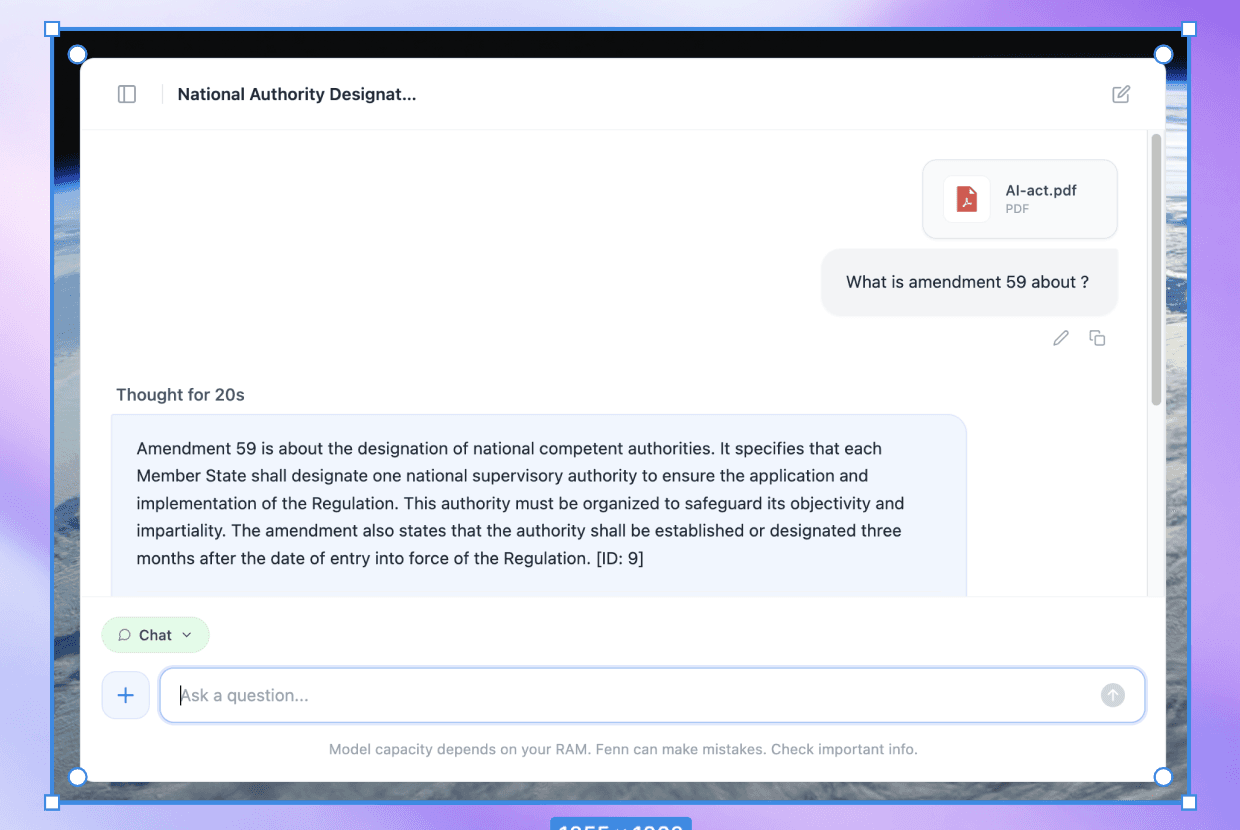
Example of a 100% private chat where you can ask question based on a 500+ pages pdf.
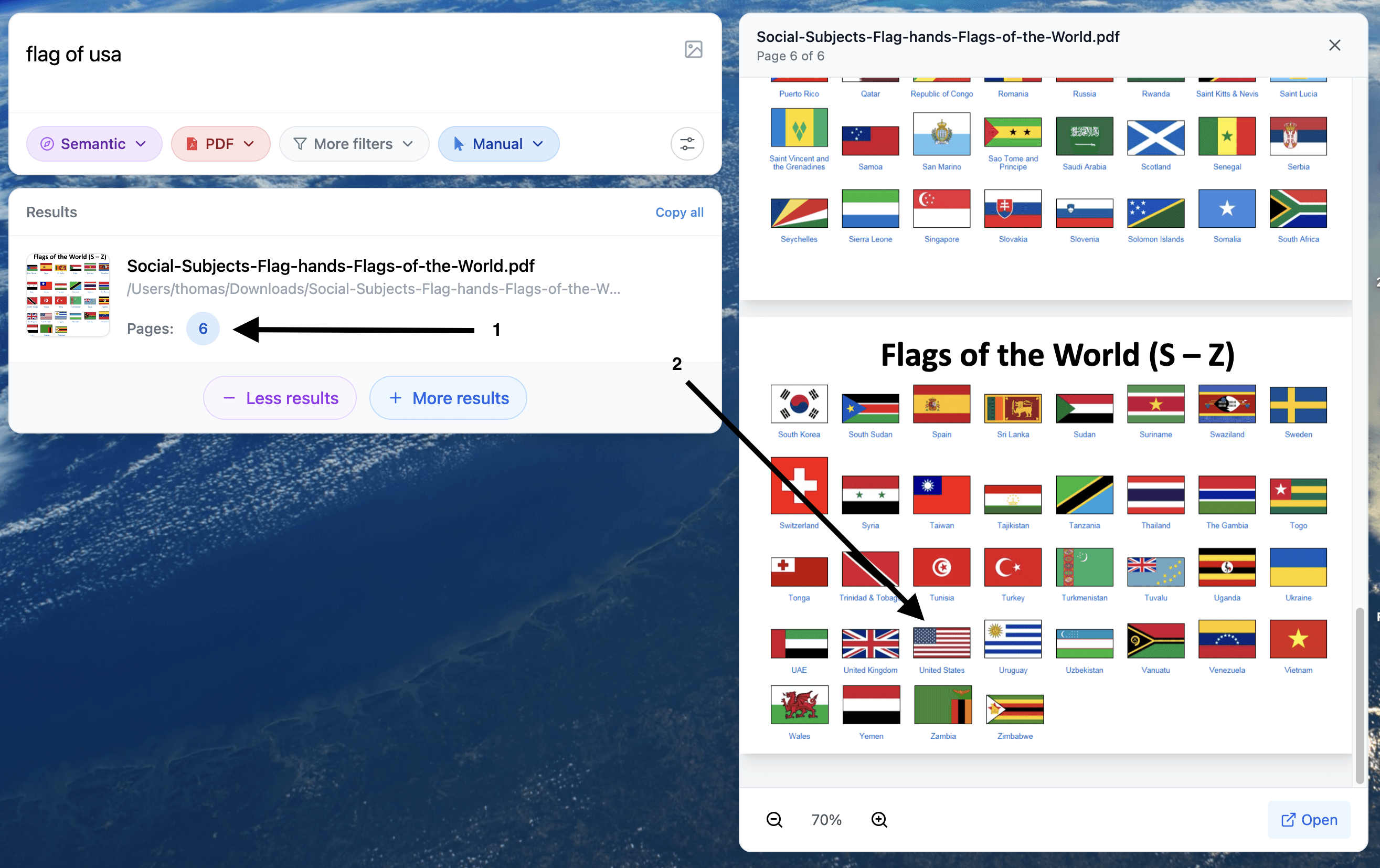
Example of a 100% private search where you can find visual element inside your document.
A simple checklist for privacy-first AI at work
If you want a practical starting point:
Decide what counts as sensitive in your work (client docs, contracts, financials, HR, medical, internal strategy).
Make “local by default” your rule for that content.
Use cloud AI only for non-sensitive tasks or sanitized text.
Prefer tools that can search and operate on your files without uploading them.
Buy hardware with enough memory headroom for local workflows.
Privacy is not a moral stance. It is operational freedom.
When your AI lives in someone else’s cloud, your workflow becomes conditional. When your AI runs on your machine, you keep control: over data, over access, over cost, and over continuity.
If you want a private intelligence layer on macOS that helps you search and work with your files without sending them to OpenAI or Google, try Fenn.
Find the moment, not the file.