Zero Data Retention Explained
Zero Data Retention Explained (And Why It’s Not Enough)
You have probably seen it before.
“Zero Data Retention.”
It sounds reassuring. Safe. Private. Almost like your data disappears the moment you use an AI tool.
But what does it actually mean?
And more importantly, should you trust it?
Because if you are working with confidential files, client data, financial records, or internal knowledge, this question matters a lot more than it seems.
What zero data retention actually means
In simple terms, zero data retention (often called ZDR) means that the AI provider claims not to store your prompts or the model’s responses after processing them.
So when you send a request:
your prompt is processed
the model generates a response
the response is returned to you
and the data is not kept by the provider
That is the idea.
Companies like OpenAI and Anthropic offer versions of this, usually for enterprise customers or approved accounts.
On paper, it sounds like full privacy.
But the reality is more nuanced.
What zero data retention does not mean
Zero data retention does not mean “nothing is ever collected.”
It does not mean “no data exists outside your machine.”
And it definitely does not mean “zero risk.”
Here are the important limitations.
1. It often requires approval or enterprise plans
ZDR is rarely the default.
In many cases, you need:
a specific enterprise plan
approval from the provider
additional compliance requirements
So most users are not actually using zero data retention, even if they think they are.
2. Some data can still be stored
Even with ZDR enabled, providers may still collect certain types of data:
usage metadata
account information
logs required for abuse monitoring
analytics data
In some cases, data can also be retained if required by law or if a session is flagged for policy violations.
So “zero” does not always mean zero.
3. Not all features are covered
ZDR usually applies only to specific endpoints or tools.
For example:
chat interfaces may not be covered
analytics features may still collect metadata
integrations with third-party tools are outside the scope
That means your data exposure depends on how you use the product, not just whether ZDR is enabled.
4. It is still based on trust
This is the most important point.
Even if everything is configured correctly, you are still trusting that:
the provider enforces its own policies correctly
the infrastructure behaves as documented
no unintended logging or storage happens
future changes do not alter the guarantees
You cannot verify this directly.
You have to trust it.
The core problem: you are still sending your data
Zero data retention tries to solve one problem: storage.
But it does not solve the bigger issue.
Your data is still leaving your machine.
It still travels to:
external servers
infrastructure you do not control
systems you cannot inspect
Even if it is not stored afterward, it is still processed elsewhere.
That alone introduces risk.
Because once data leaves your environment, you are relying on:
network security
provider security
policy enforcement
correct configuration
That is a long chain of assumptions.
Why this matters for real work
For casual usage, this might be acceptable.
But for professionals, it becomes a real concern.
Think about what you are actually sending to AI tools:
contracts
financial data
internal reports
research material
client information
personal archives
Even with zero data retention, you are still transmitting sensitive information outside your control.
That is not true privacy.
It is controlled exposure.
The alternative: do not send the data at all
There is a simpler way to solve the problem.
Do not send your data anywhere.
That is the approach behind local AI and open source models.
When the model runs on your machine:
your data never leaves your device
no external server processes your files
no provider can log or inspect your inputs
no policy change can affect your access
There is nothing to retain, because nothing was ever sent.
That makes zero data retention unnecessary.
Why Fenn removes the problem entirely
This is exactly why Fenn is built the way it is.
Fenn is Private AI that finds any file on your Mac.
It runs on top of open source models, directly on your device.
That means:
your files are never uploaded
your searches stay local
your queries are processed on your Mac
your confidential work stays yours
There is no cloud dependency.
There is no data pipeline to secure.
There is no retention policy to trust.
Because nothing leaves your machine.
What you can do with private AI on your Mac
With Fenn, you are not giving up capabilities.
You are gaining control.
You can:
search inside PDFs, documents, images, screenshots, audio, and video
jump directly to the exact page, frame, or timestamp
run complex queries across your files
(example: find all receipts from a specific restaurant above a certain amount)chat with your files privately
extract transcription from audio and video
rename files with AI
search by similarity instead of filenames
All of this happens locally.
No upload. No exposure. No retention.
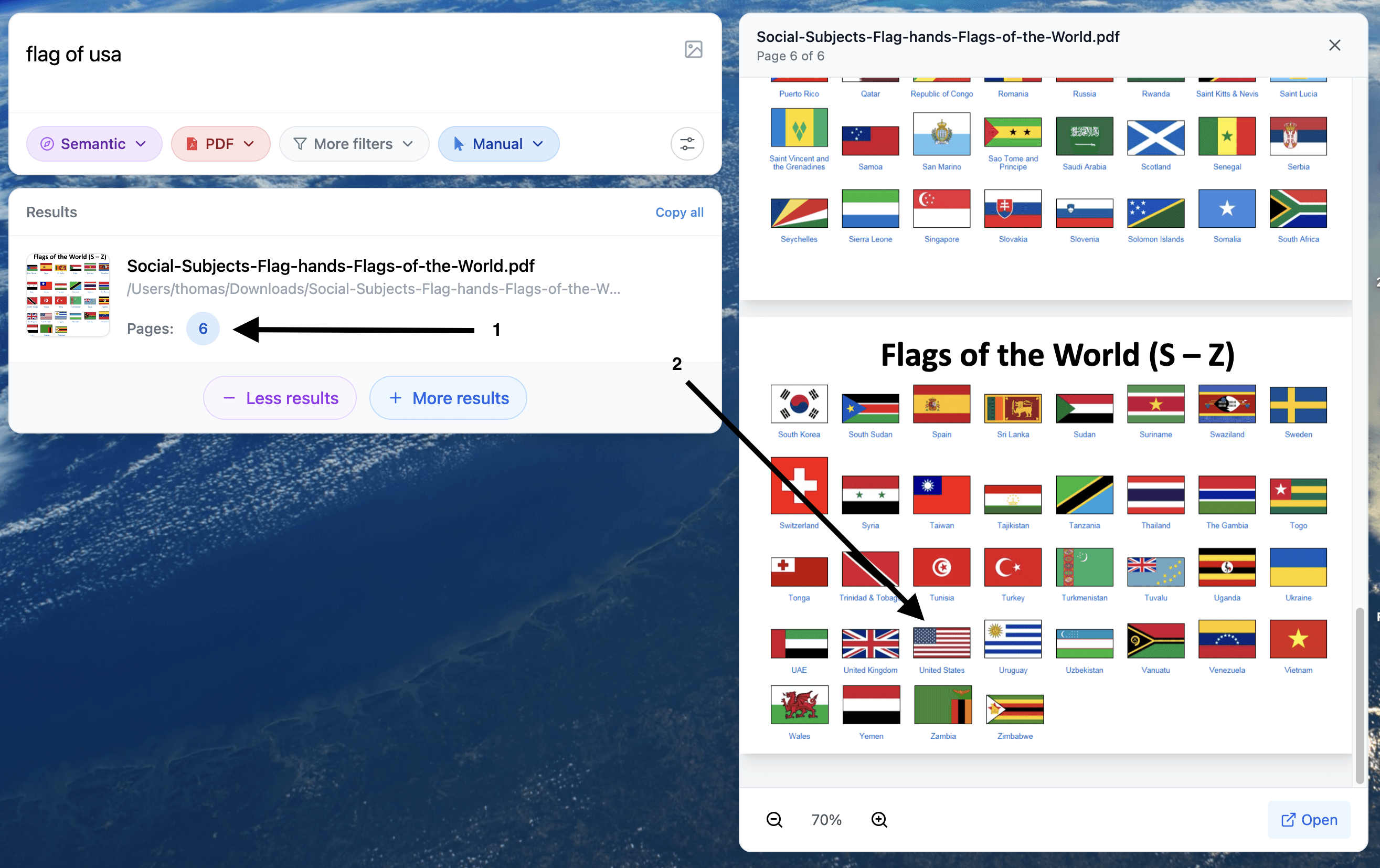
Example of a search for a visual element inside a PDF
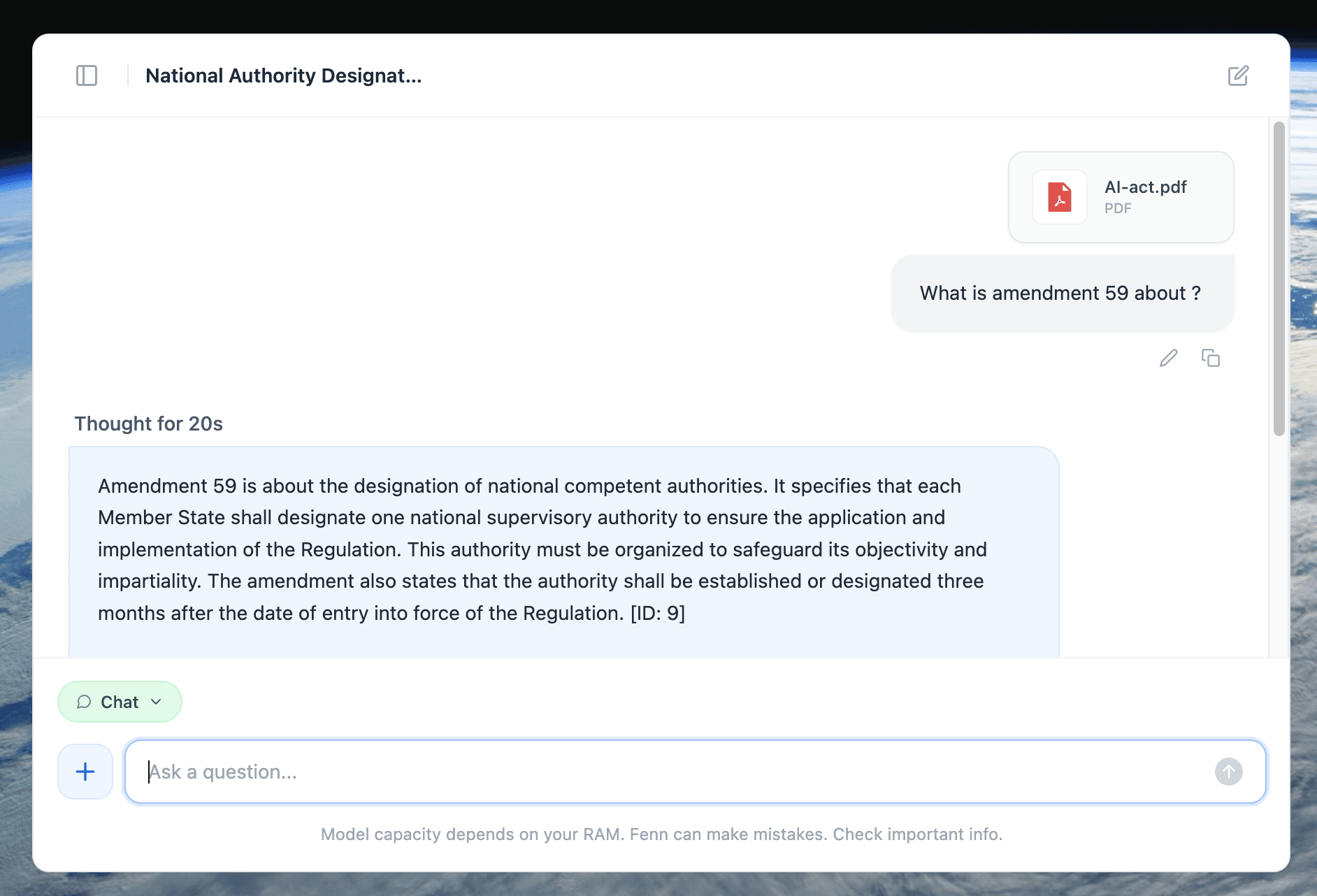
Example of 100% private chat with a +500 pages document.
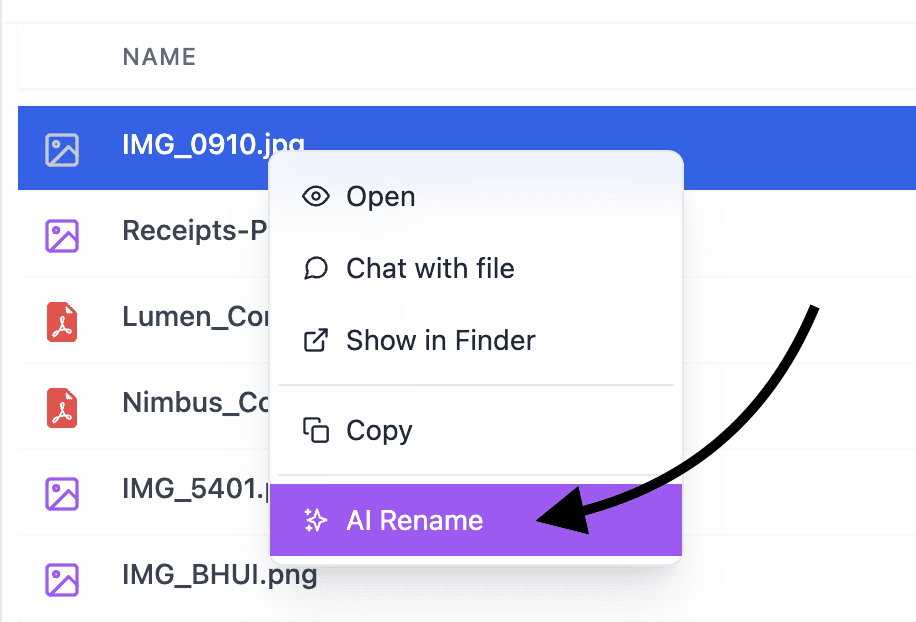
Rename any type of file with AI, 100% privately
A simple comparison
Cloud AI with zero data retention:
data is sent to external servers
storage is limited or disabled
some metadata may still be collected
access depends on provider policies
requires trust
Local AI with Fenn:
data never leaves your Mac
no storage outside your device
no external logs
no dependency on a provider
no trust required
That is a fundamentally different model.
The bottom line
Zero data retention is a step in the right direction.
But it is still a workaround.
It tries to reduce risk after your data has already left your machine.
The safest approach is simpler.
Keep your data where it belongs.
With Fenn, everything happens on your Mac. No uploads, no external processing, no retention questions.
Because the best way to protect your data is not to send it anywhere in the first place.
Download Fenn and find the moment, not the file.