Use ChatGPT Without Sharing Private Data

Sending a contract, spreadsheet, report, or document to ChatGPT can save a lot of time.
But the same file may contain confidential information such as an IBAN, credit card number, account identifier, or private client reference.
Fenn gives you a safer option.
Before anything is sent to ChatGPT, Claude, or another cloud AI provider, Fenn replaces sensitive values with consistent placeholders. The cloud model can still understand the document and answer your question, but it never receives the original confidential values.
When the answer comes back, Fenn restores those values locally so the final response remains clear and useful.
Why simple anonymization is not enough
Traditional anonymization usually hides information with a black rectangle or deletes it completely.
That protects the value, but it can also remove important context.
Imagine that the same credit card number appears several times across a financial document. If every occurrence is simply removed, the AI model cannot understand that those transactions are connected.
Fenn uses consistent anonymization instead.
A value such as:
4242 4242 4242 4242
could be replaced with:
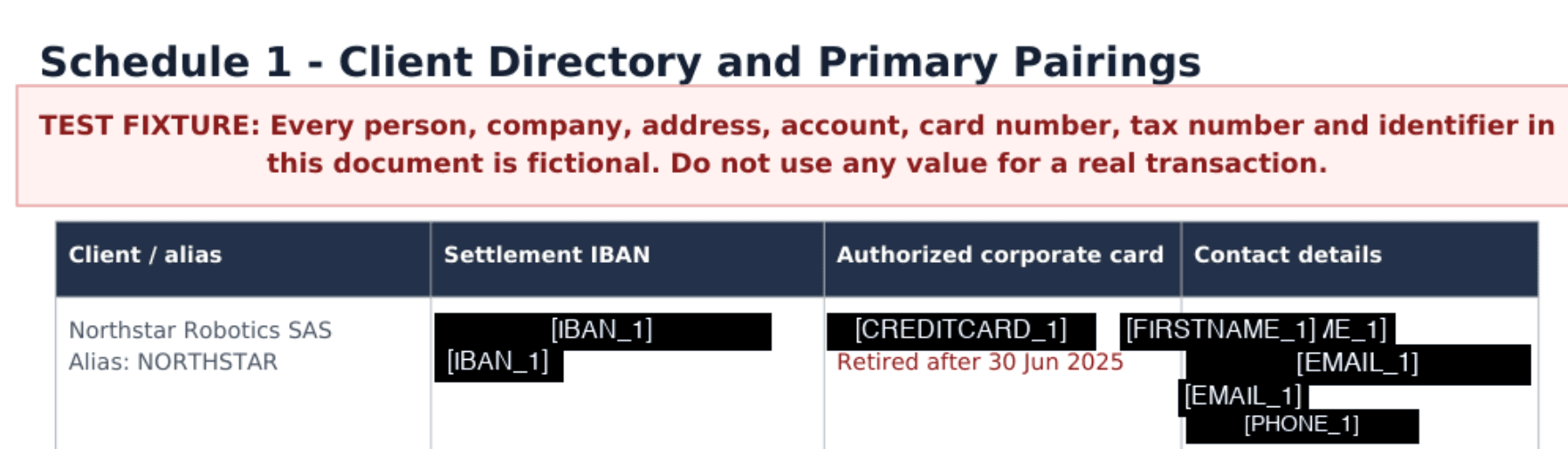
[CREDIT_CARD_1]
An IBAN could become:
[IBAN_1]
Every time the same value appears, Fenn uses the same placeholder.
The cloud model does not see the real card number or IBAN, but it can still understand that every reference to [CREDIT_CARD_1] concerns the same payment method.
That preserves the logic of the document without sharing the original confidential data.
How it works
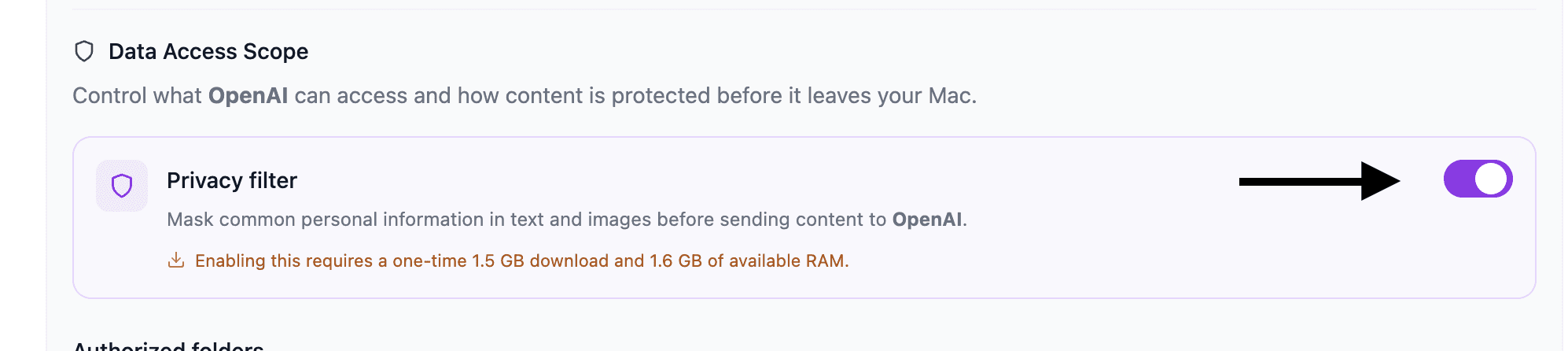
The workflow is simple:
You choose a file and ask a question.
Fenn detects confidential values inside the content.
Each value is replaced with a consistent placeholder.
Only the anonymized content is sent to the cloud model.
ChatGPT or Claude reasons about the anonymized information.
Fenn receives the answer and restores the original values locally.
For example, the original content might say:
The payment from IBAN FR76… was made using card 4242… Contact the account owner if the transfer is rejected.
The cloud model receives:
The payment from [IBAN_1] was made using [CREDIT_CARD_1]. Contact [PERSON_1] if the transfer is rejected.
It can still summarize the situation, identify relationships, compare transactions, or explain the next step.
It simply does not receive the original private values.
A practical answer to Shadow AI
Using ChatGPT with work documents is already common.
An employee may need to summarize a contract, analyze a spreadsheet, understand a report, or extract information from a client file.
When people use unapproved AI tools with company data, this is often called Shadow AI.
The problem is not that people want to use AI.
The problem is that confidential information can be sent to an external provider without protection or visibility.
Blocking every cloud AI tool is not always realistic. People use them because they are useful.
Fenn offers a practical middle ground.
You can keep using the cloud model you prefer while reducing the amount of confidential information that leaves your Mac.
Keep the reasoning, remove the raw data
The goal is not to make the document meaningless.
The goal is to remove the sensitive values while preserving the relationships the model needs to understand.
Because the placeholders are consistent, the model can still answer questions such as:
Which transactions are connected to the same account?
Which payment method appears most often?
Does the same identifier appear in multiple sections?
Which person is responsible for the account?
Summarize the clauses related to this client reference.
The model works with [IBAN_1], [CREDIT_CARD_1], or another placeholder.
Fenn restores the readable answer afterward.
Local protection with cloud intelligence
Fenn uses local processing to anonymize the confidential information before the request leaves your Mac.
The original values remain local.
The cloud provider receives only the anonymized version you choose to send.
The anonymized content still goes to the selected provider, so this does not turn ChatGPT or Claude into a local model. It gives you more control over which confidential values they can access.
For work that must remain completely offline, Fenn also supports local, open-weight models.
For workflows where you still want the capabilities of a cloud model, anonymization provides a safer bridge.
More than anonymization
Fenn is Private AI that finds anything you saved, saw or heard.
Alongside anonymizing files before cloud AI use, Fenn can also help you:
search inside documents, images, audio, video, notes, and email archives
chat with files privately using local models
run Agentic search across files
jump to exact pages, slides, frames, and timestamps
create self-organizing folders
rename files with AI
find and remove duplicate files
extract data from files into CSV
search anything you saw, heard, or said on your Mac
The goal is not to stop people from using AI.
It is to give them a safer way to use it with real work.
The bottom line
You should not have to choose between useful cloud AI and protecting every confidential value inside your files.
Fenn anonymizes sensitive information before sending it to ChatGPT, Claude, or another cloud provider.
The model sees consistent placeholders.
It can still reason about the document.
Fenn then restores the clear answer locally.
Use the cloud model you need without handing it every private value in the original file.
Download Fenn and work with cloud AI more privately.