macOS Tahoe vs Sequoia: Should You Upgrade in 2026?
macOS Tahoe vs Sequoia: Should You Upgrade in 2026?
Updated January 2026
Upgrading your Mac can help or hurt your day. With macOS 26, Tahoe, now out, here is a clear guide to what changes from Sequoia, what stays the same, and who should move now.

Private AI that finds any file on your Mac
Fenn searches inside PDFs, slides, screenshots, and recordings and opens the exact page, frame, or sentence. On-device by default.
See pricing: https://www.usefenn.com/pricing
What is new in Tahoe?
A new system look
Liquid Glass brings a more transparent, consistent design across apps and controls. It is system-wide and pairs with Apple’s platform updates.
[Screenshot placeholder: Side-by-side UI comparison showing Tahoe’s “Liquid Glass” look]
Spotlight gets serious
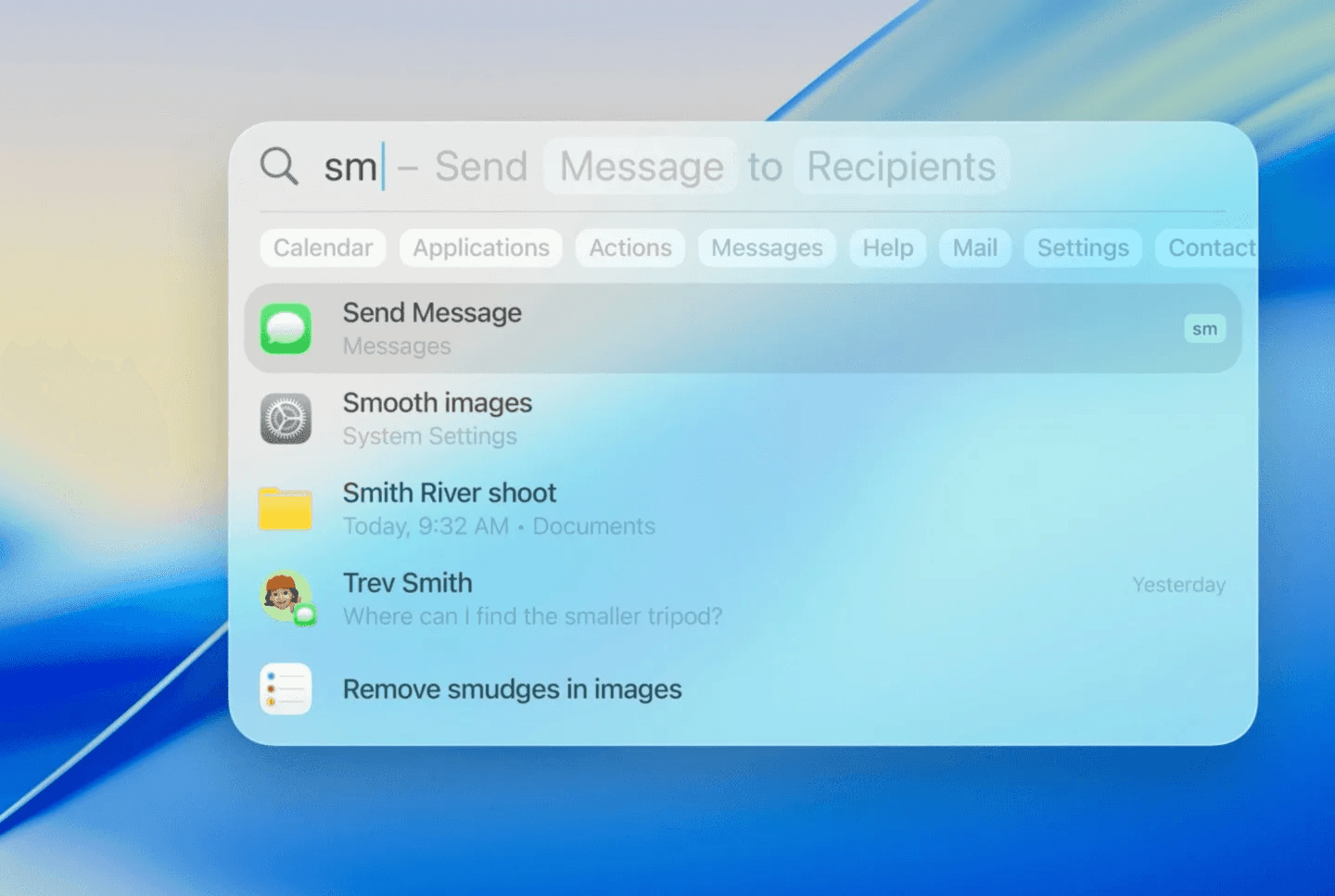
Spotlight in Tahoe adds:
Filters by app, file type, folder, or provider
Search history for past queries
Quick website search from the Spotlight bar
Open Safari windows and tabs directly from results
Browse views for Apps, Files, Actions, and Clipboard history
Quick keys to run actions like send message or start a timer
These changes make Spotlight feel like a launcher, an action runner, and a search tool in one place.
Phone app and Live Activities on Mac
You can take calls on Mac with familiar iPhone features like Call Screening and Hold Assist. Live Activities from iPhone appear in the menu bar and can expand or open with iPhone Mirroring.

Availability and support
Tahoe runs on Apple Silicon and a short list of Intel Macs. Many teams treat Tahoe as a natural cutoff point because Intel support has been narrowing with each release.
Tahoe vs Sequoia, in real terms
Design and polish: Tahoe’s UI feels cleaner and more consistent. Sequoia stays closer to Sonoma’s look.
Search and actions: Tahoe’s Spotlight adds filters, browse modes, clipboard history, and quick keys. Sequoia’s Spotlight lacks these additions.
Continuity upgrades: Tahoe adds a full Phone app on Mac and Live Activities. Sequoia does not.
Intel status: If you are on Intel and eligible, Tahoe may be your last stop for major macOS upgrades. Sequoia remains an option if you want to wait.
Spotlight and private file search
Spotlight in Tahoe is much better for filtering and actions, but it still tends to stop at the file. If you need to find an image, the exact sentence in a long PDF, the exact slide in a deck, or the exact moment in a recording, you need a tool built for inside-file search.
Fenn: Private File Search on MacOS and way more
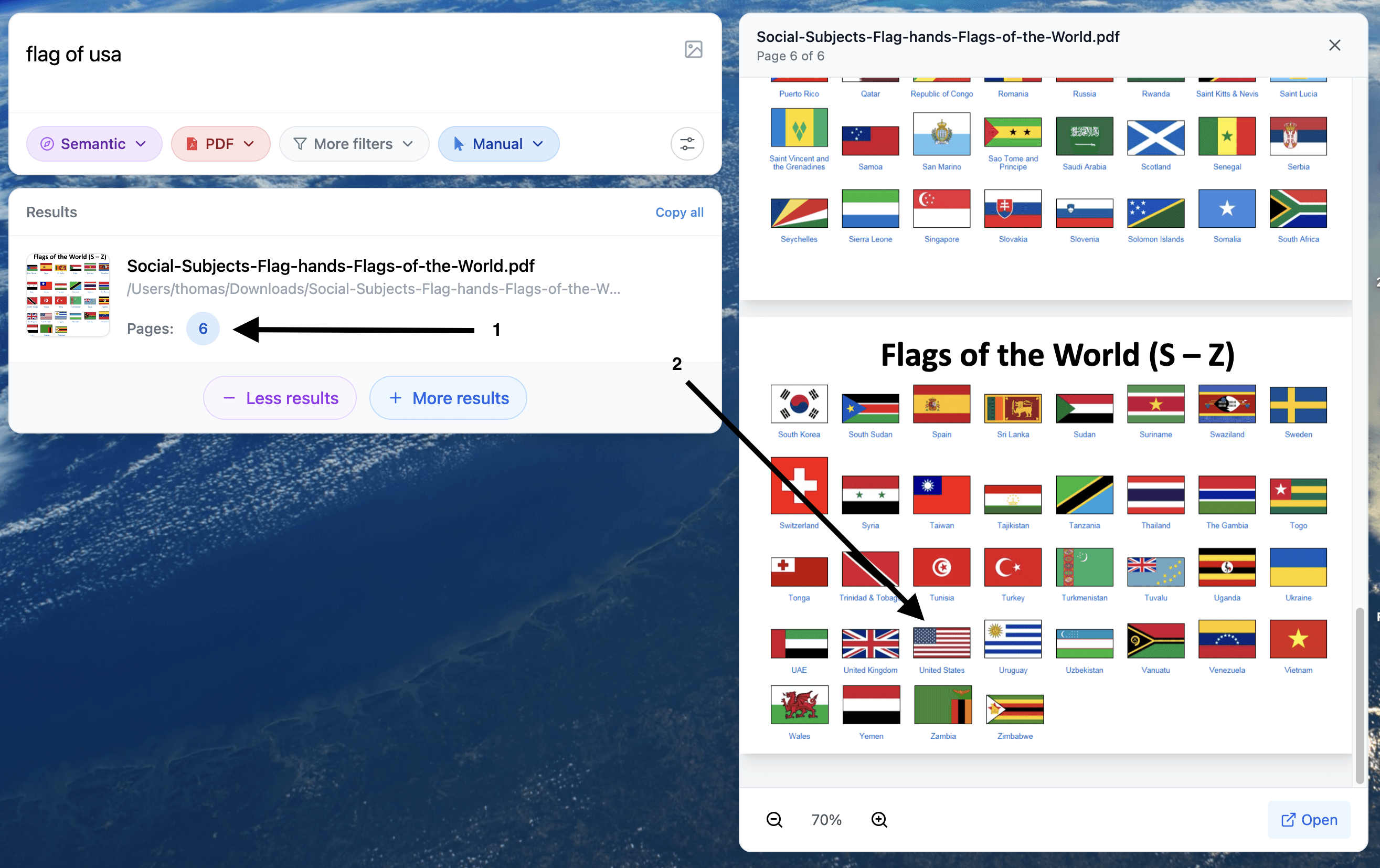
Example 1: Search an image inside a pdf
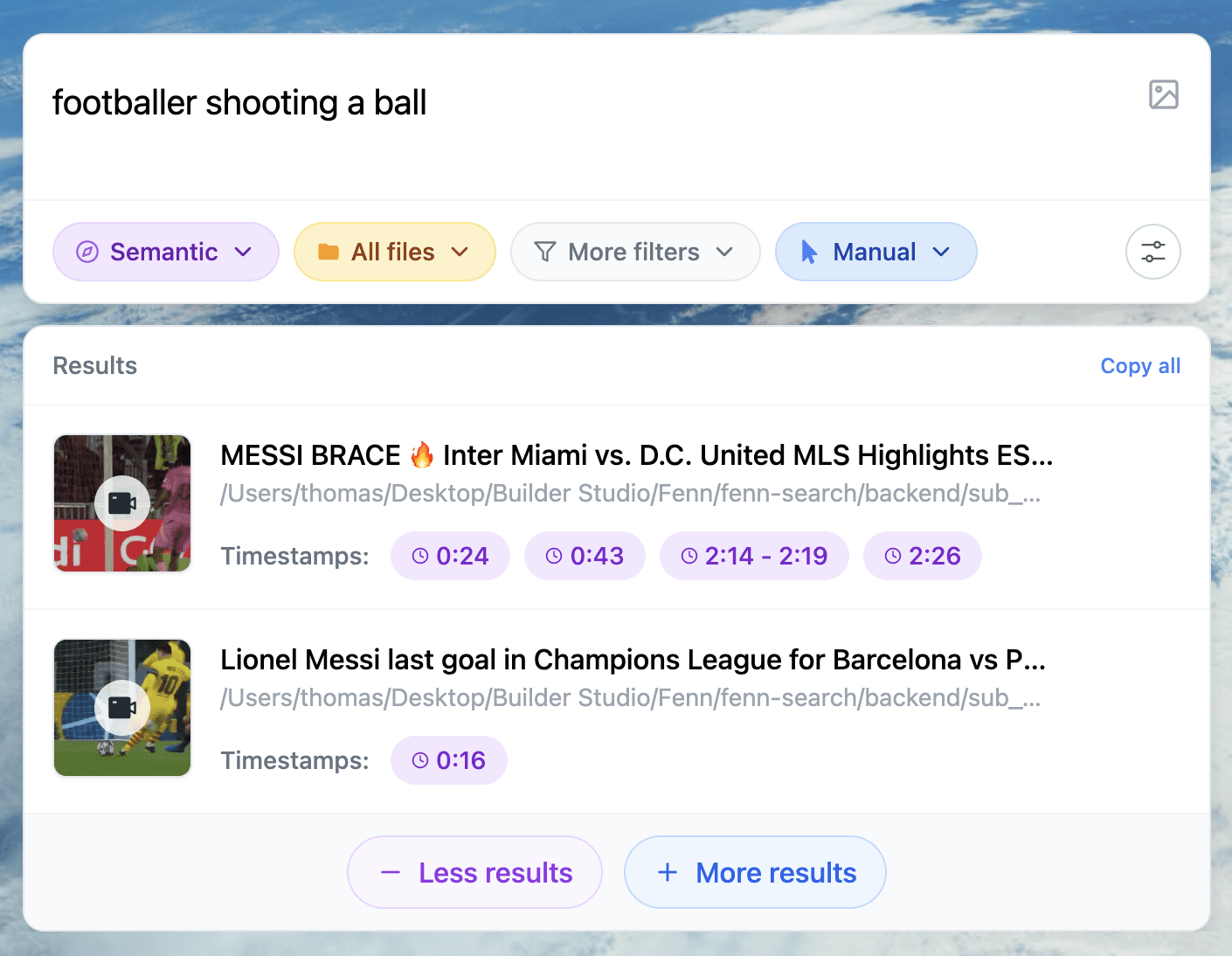
Example 2: Search a moment inside a video
If you are upgrading for Spotlight, here is the practical split:
Use Spotlight to locate the right file fast (when it works).
Use Fenn when you need the exact place inside the file (page, slide, frame, timestamp).
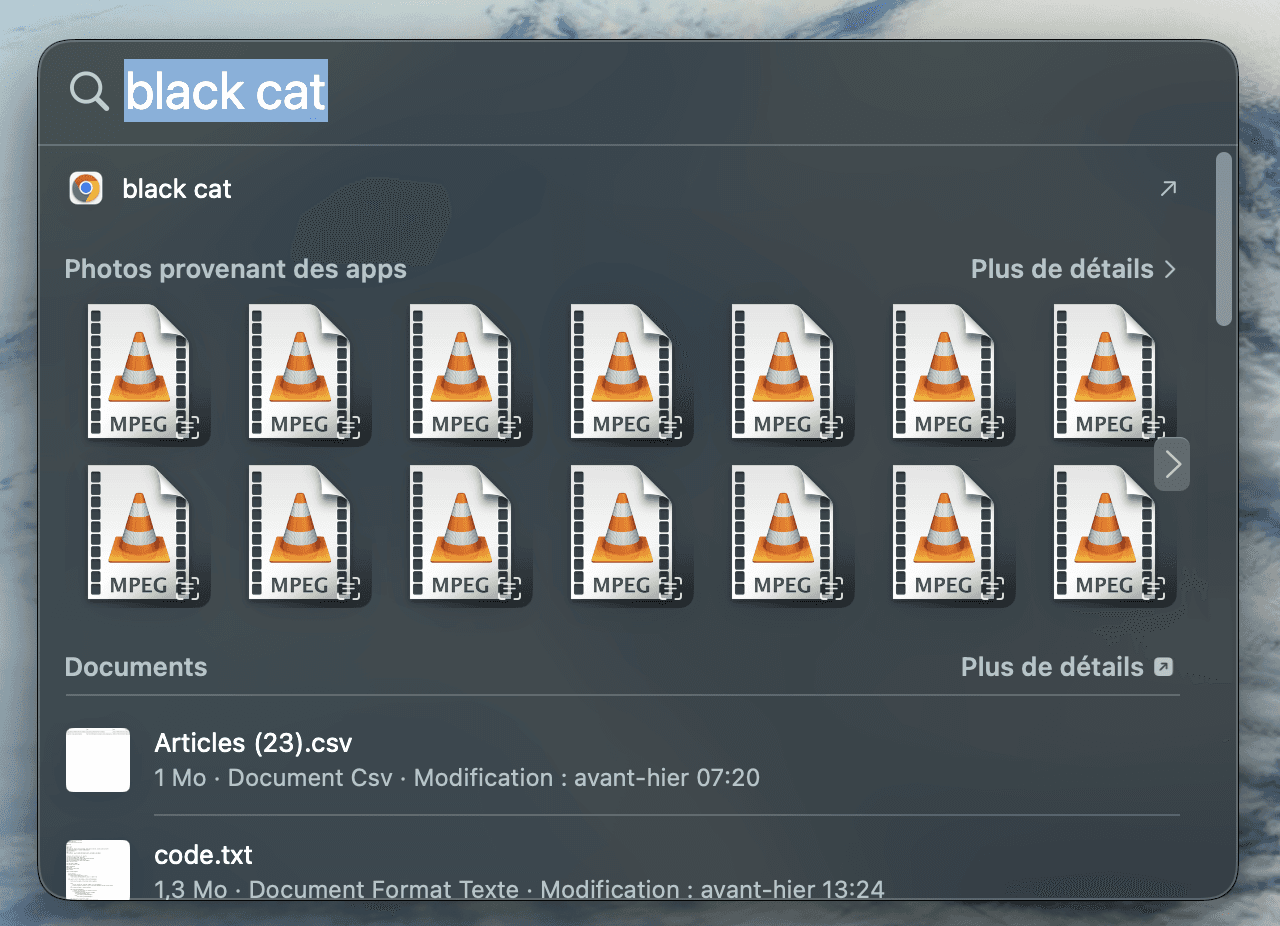

Spotlight vs Fenn
When Tahoe’s Spotlight still won’t find what you remember
If the thing you remember is inside the file, not in the filename, Spotlight can still disappoint. Common examples:
the clause inside a contract PDF
the slide where a metric is explained
text inside a screenshot
the moment someone says a phrase in a meeting recording
That is where Fenn helps: search once, confirm with a snippet, then open at the exact page, frame, or timestamp.
What Fenn is
Fenn is a private AI file search agent for macOS that runs on-device by default. It searches inside long PDFs, slides, images, screenshots, plus audio and video, and opens to the exact page, frame, or sentence you need. Use Keyword when you remember the exact words, Semantic when you remember the idea, and Hybrid when it is a mix.
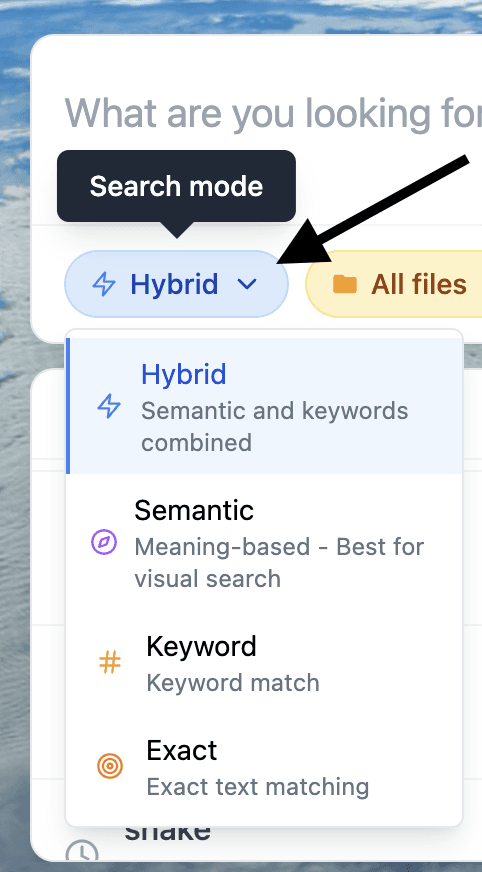
Quick workflow with Fenn
Index your sources (for example: Research, Contracts, Client Media, Meeting Recordings).
Search in Hybrid with the phrase you actually remember (“where Sarah mentions indemnity carve out”).
Open the result at the exact place. Fenn jumps to the right PDF page, slide number, image match, or timestamp.
Should you upgrade now?
Choose Tahoe now if you want:
The new design and controls
The upgraded Spotlight with filters, actions, and clipboard history
Phone on Mac and Live Activities
You are on Apple Silicon (or a supported Intel model) and you can test your critical apps safely
Stay on Sequoia for the moment if you:
Depend on older plug-ins or drivers and cannot risk a change mid-project
Manage a lab or team and need to schedule upgrades after pilots
Use an older Intel Mac and plan to replace hardware soon
See also
macOS Sequoia vs. Sonoma, Should You Upgrade?
https://www.usefenn.com/blog/macos-sequoia-vs-sonoma-upgrade-guide
Spotlight Mac, The Ultimate Guide
https://www.usefenn.com/blog/spotlight-mac-ultimate-guide
Mac Spotlight Still Letting You Down in 2025?
https://www.usefenn.com/blog/spotlight-unreliable-2025-fenn-ai-search