Let AI Organize Your Mac Files

Let AI Organize Your Mac Files
Your Mac starts clean.
Then life happens.
Downloads pile up. Screenshots appear everywhere. PDFs land in the wrong folders. Invoices, images, videos, documents, exports, and old client files slowly become one giant mess.
At some point, the problem is not that you do not have folders.
The problem is that sorting files manually takes too much time.
You open a folder with 500 files and think:
“I should organize this.”
Then you close it.
Because creating folders one by one, checking every file, dragging items manually, and adding tags is not real work.
It is maintenance.
And maintenance is exactly what AI should help with.
The manual way to organize files on Mac
macOS gives you a few built-in ways to organize files.
They work, but they require effort.
Option 1: Create folders manually
The classic method is simple.
You open Finder, create folders, then drag files into the right place.
For example:
Invoices
Receipts
Images
Videos
Contracts
Client work
Old archives
This works when you have 20 files.
It breaks when you have 1,000.
Because you still have to open, inspect, and move everything yourself.
Option 2: Sort by file type or date
Finder also lets you sort and group files by things like kind, date created, date modified, and size.
That helps a little.
You can quickly see PDFs together, images together, videos together, and documents together.
But sorting is not the same as organizing.
Finder can show you files grouped by type.
It does not automatically create the structure you want and move files into it.
Option 3: Use tags
Tags can be useful too.
You can mark files as “Invoices,” “Client A,” “Urgent,” or “Archive.”
But tags are still manual.
You need to decide the tag.
You need to apply it.
You need to keep doing it consistently.
Most people do not.
That is why folder systems slowly collapse.
The real problem: Finder does not understand your files
Finder can show filenames.
Finder can sort by metadata.
Finder can group files visually.
But Finder does not really understand what a file is about.
It does not look at 1,000 invoices and say:
“These should be organized by client name.”
It does not look at a mixed project folder and say:
“These are contracts, these are receipts, these are recordings, these are design references.”
It does not read your folder and create a useful structure from the content.
That is the missing layer.
The faster way: let Fenn organize your files
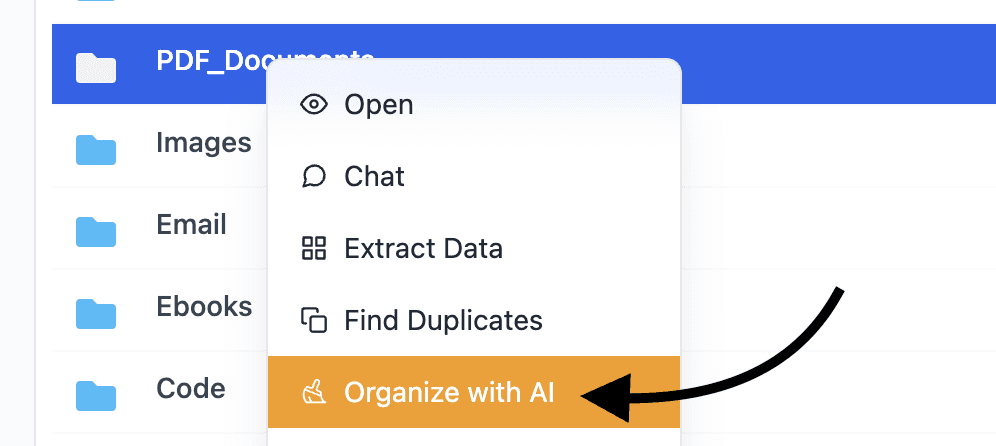
Fenn can now help organize files automatically.
Instead of manually creating folders and dragging files one by one, you can let AI analyze the files and sort them for you.
You can organize files by:
file type
date
metadata
content topic
custom folders and rules
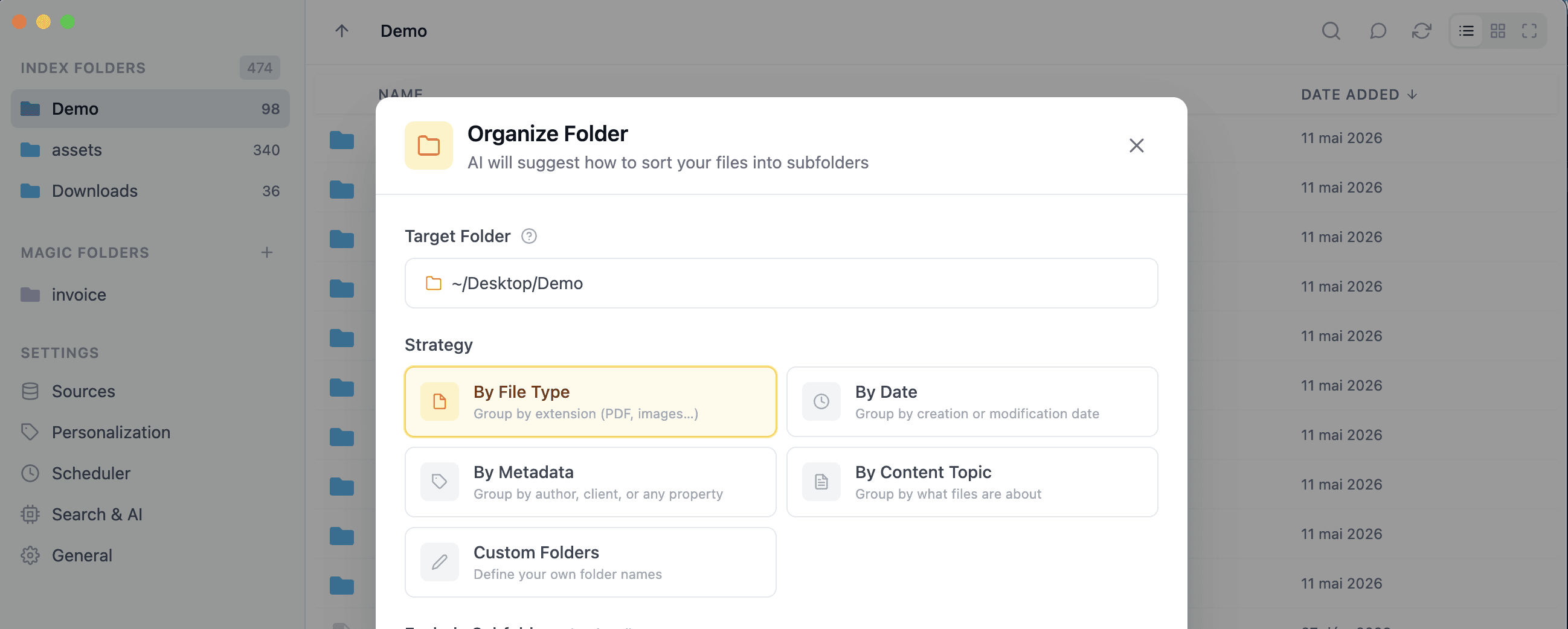
That means you can go from a messy folder to a clean structure much faster.
And because Fenn runs locally on your Mac, your files stay private.
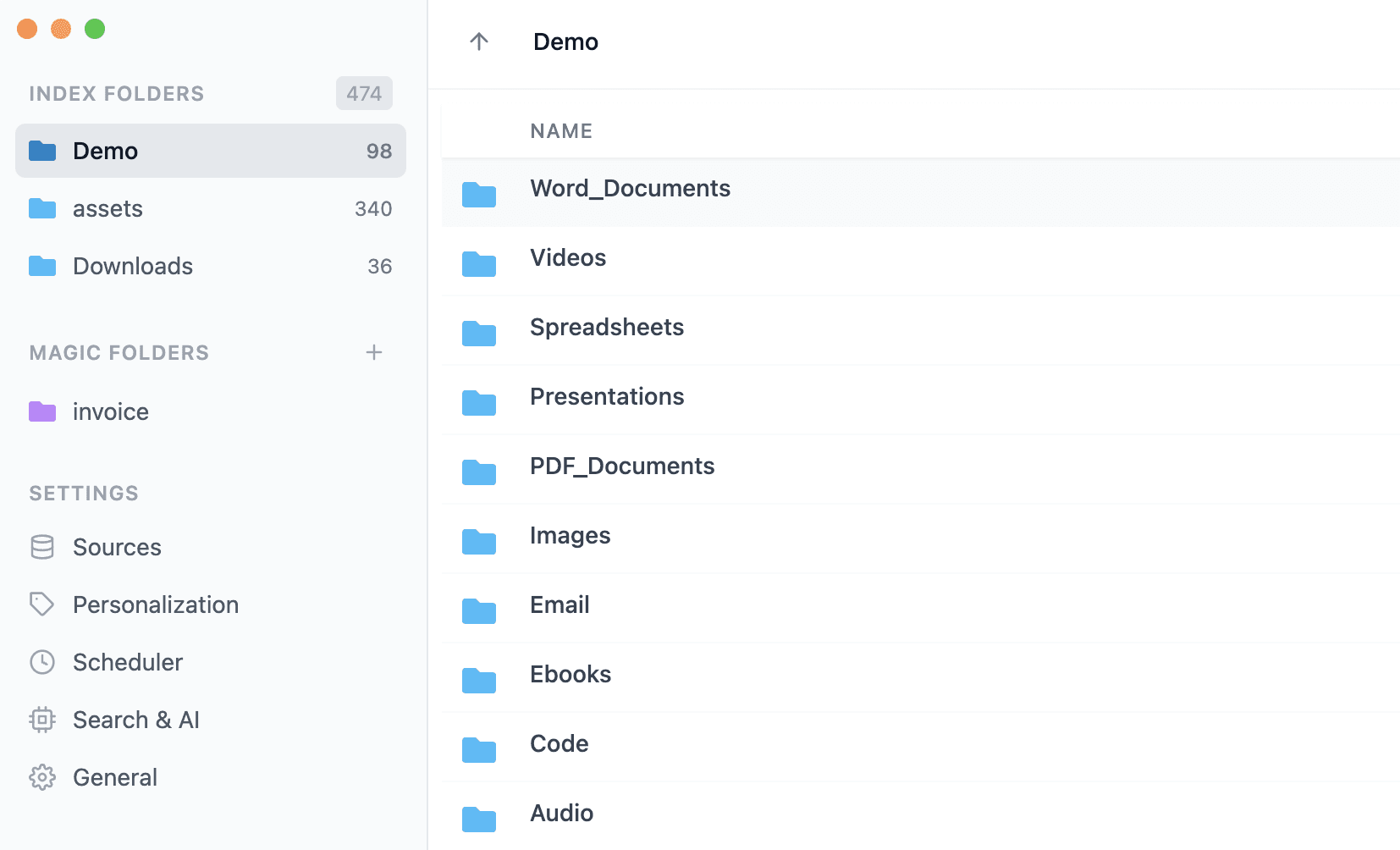
Organize files by file type
This is the simplest option.
Fenn can automatically group files by format, such as:
PDFs
images
videos
documents
audio files
spreadsheets
presentations
This is useful for folders like Downloads, Desktop, exports, or old archives where every file type is mixed together.
Instead of manually separating formats, Fenn can create the structure and move files where they belong.
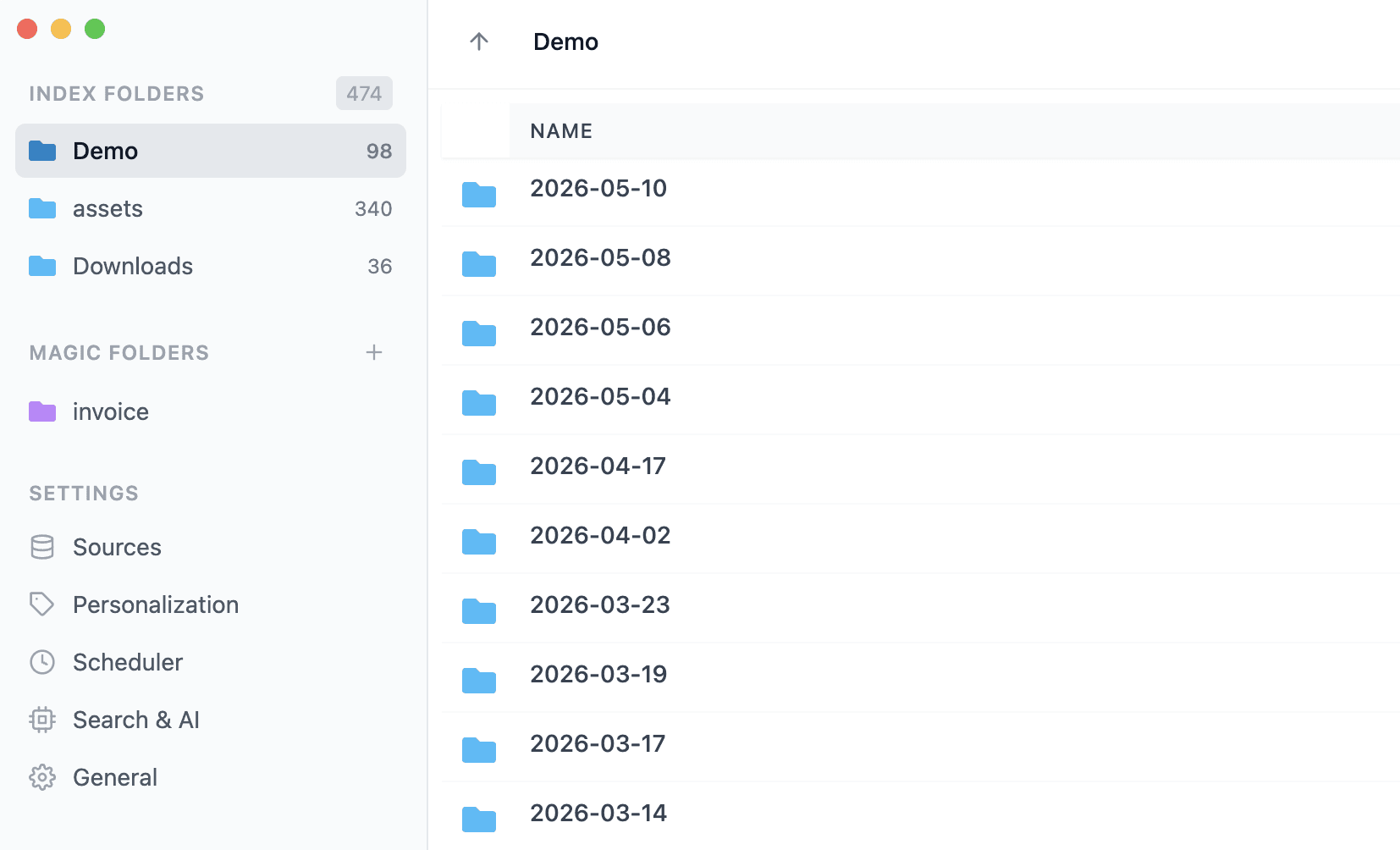
Organize files by date
Sometimes the best structure is time-based.
Fenn can organize files by:
day
month
semester
year
This is useful for:
receipts
invoices
photos
exports
reports
project archives
For example, you can turn a folder full of old files into a clean year-by-year or month-by-month archive.
Organize files by metadata
Some files already contain useful metadata.
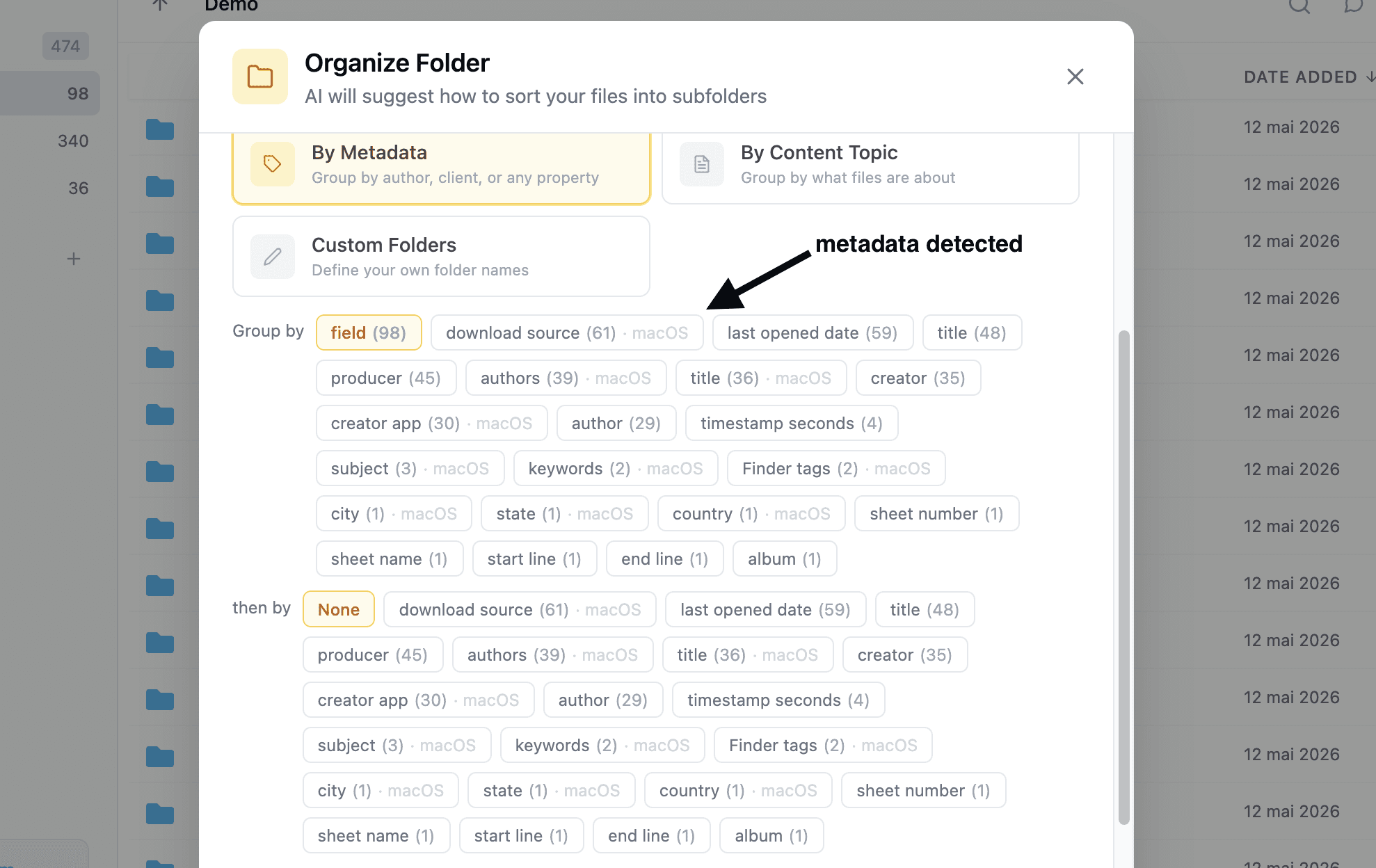
Fenn can detect available metadata from your files, such as:
author
producer
tags
other file properties
Then it can use those fields to organize the folder.
This is especially useful when working with files that already contain hidden structure, but Finder does not make that structure easy to act on.
Instead of manually checking metadata file by file, you can use it as an organization rule.
Organize files by content topic
This is where AI organization becomes much more powerful.
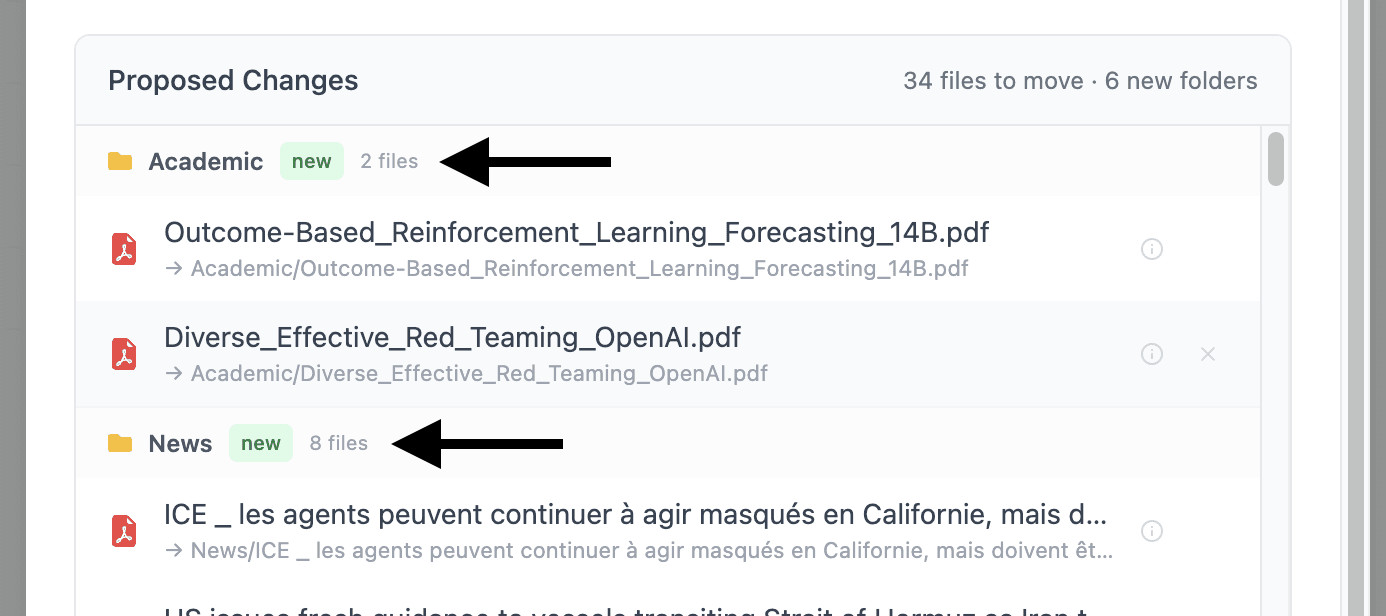
Fenn can detect topics across a folder and create a structure based on what the files are actually about.
That means your folder does not need to be organized only by file type or date.
It can be organized by meaning.
For example:
invoices
legal documents
travel receipts
client reports
meeting notes
product screenshots
marketing assets
research material
This is the difference between sorting files and understanding them.
Finder can group files by kind.
Fenn can organize files by what they contain.
Organize 1,000 invoices by client name
Here is a practical example.
Let’s say you have 1,000 invoices from 253 clients.
Doing this manually would be painful.
You would need to:
open each invoice
find the client name
create the right client folder
move the invoice
repeat hundreds of times
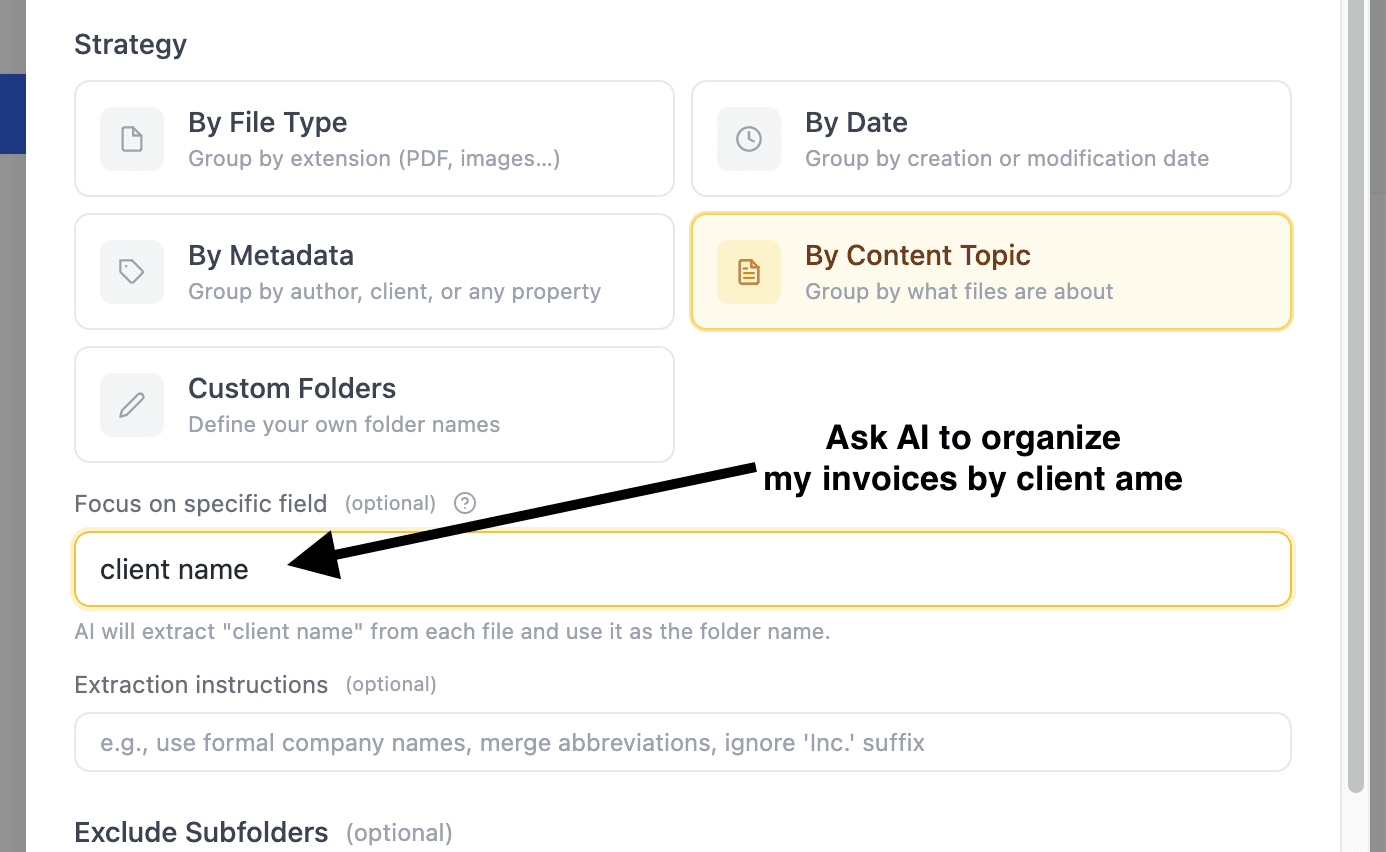
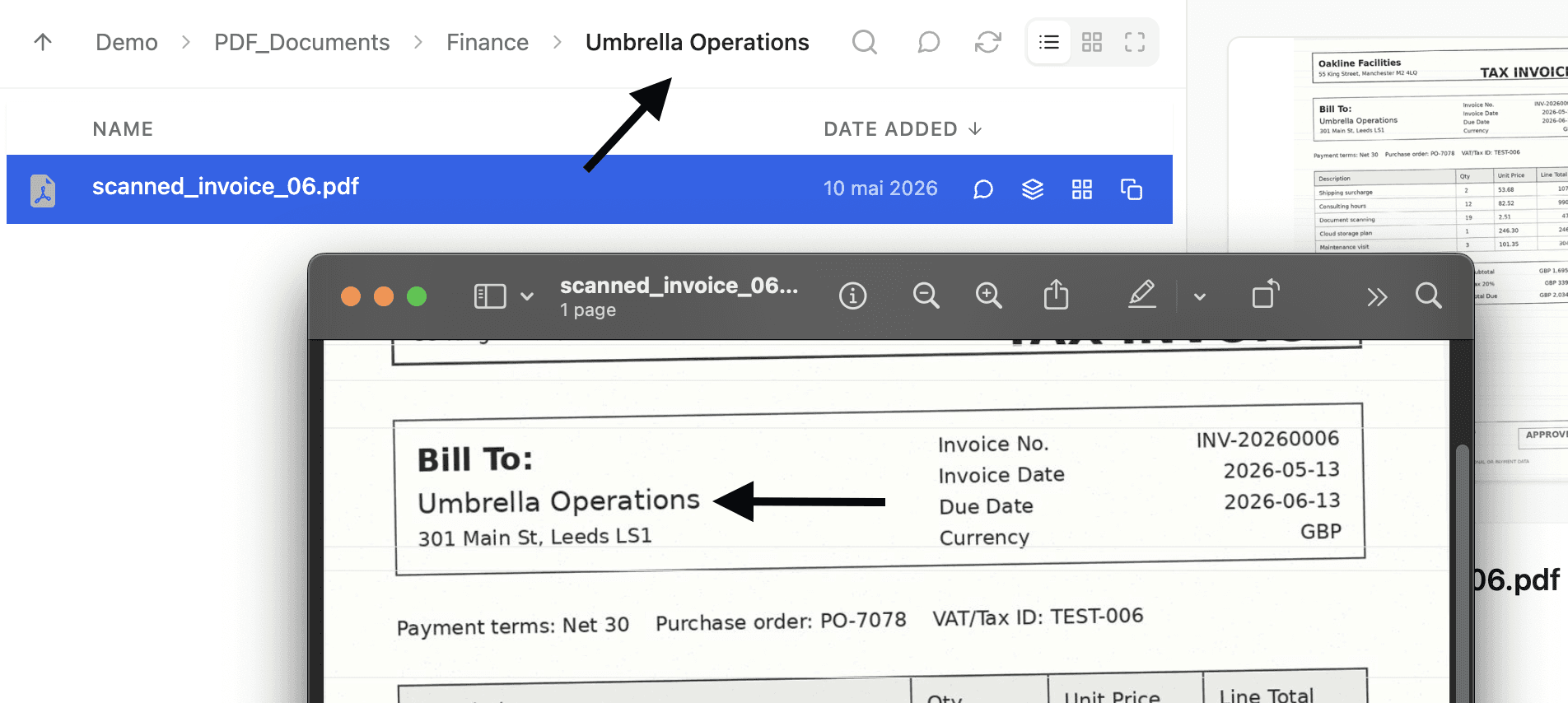
With Fenn, you can ask it to organize those invoices by client name.
Fenn can detect the client names, create the folder structure, and sort the files into the right folders.
That is the kind of workflow where AI organization makes immediate sense.
Not because it is flashy.
Because it removes hours of boring manual work.
Use custom folders and rules
Sometimes you do not want AI to decide the folder structure.
You already know what you want.
Fenn supports that too.
You can give it custom folder names and instructions.
For example:
Folder: Invoices
Instruction: Put all invoices in this folder.Folder: Receipts
Instruction: Put all receipts and expense documents in this folder.Folder: Contracts
Instruction: Put legal agreements and signed documents in this folder.Folder: Marketing
Instruction: Put screenshots, ads, copy drafts, and campaign assets in this folder.
Fenn then sorts the right files into the right place.
This gives you control without doing all the manual sorting yourself.
Why this is better than manual organization
Manual folder cleanup has one big problem:
It depends on you doing the boring work consistently.
That rarely happens.
Fenn changes the workflow.
Instead of:
inspect file
decide category
create folder
move file
repeat
You can:
choose the folder
choose how you want it organized
let Fenn do the sorting
review the result
That is a much better use of your time.
Privacy matters when organizing files
File organization sounds harmless until you remember what is inside those files.
A messy folder may contain:
invoices
client files
contracts
financial documents
personal photos
internal company records
screenshots
private notes
That is why Fenn is built to run locally.
Your files are organized on your Mac.
They are not uploaded to a cloud AI provider.
They are not sent somewhere else just to be sorted.
Everything stays on your machine.
The bottom line
Finder is fine when you want to move a few files manually.
But if you have a messy folder with hundreds or thousands of files, manual organization is a waste of time.
Fenn lets you organize Mac files by type, date, metadata, topic, or custom rules, using private AI that runs locally on your Mac.
So instead of spending your afternoon dragging files into folders, let AI do the boring part.
Download Fenn and find the moment, not the file.