Apple Creator Studio: Everything you need to know
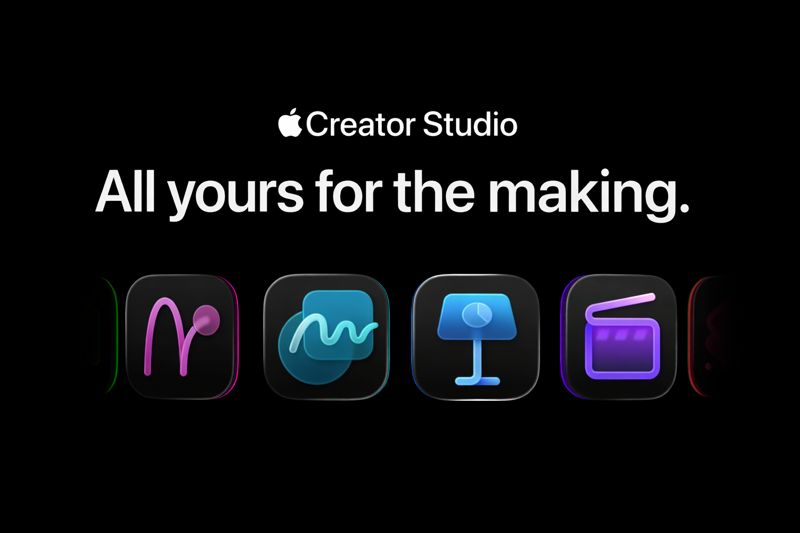
Apple just introduced Apple Creator Studio, a new subscription that bundles pro creative apps for video, music, and design, plus premium content and new “smart” features in Apple’s productivity apps. It is designed to give creators one suite that works across Mac and iPad, with some tools available only on Mac.
This article breaks down what’s included, pricing, device requirements, what happens if you cancel, and how to keep your workflow fast once your Mac fills up with projects, exports, and assets.
What is Apple Creator Studio?
Apple Creator Studio is a single subscription that gives you access to a collection of Apple creative apps:
Final Cut Pro (video)
Pixelmator Pro (image editing and design)
Logic Pro (music production)
It also adds premium features and content to Keynote, Pages, Numbers, and Freeform, including templates, media, and Apple Intelligence powered features.
When is Apple Creator Studio available?
Apple Creator Studio is available starting January 28.
Pricing and free trials
Apple is offering three ways to try the subscription:
New subscribers
1 month free
$12.99 per month or $129 per year after the trial
Students and educators
1 month free
$2.99 per month or $29.99 per year after the trial
New devices
3 months free with a qualifying Mac or iPad purchase (eligibility depends on Apple’s device offer rules)
What apps are included?
Apple Creator Studio includes a mix of apps that run on Mac, iPad, or both.
Core creative apps
Final Cut Pro (Mac and iPad)
Pixelmator Pro (Mac and iPad)
Logic Pro (Mac and iPad)
Pro tools included on Mac
Motion
Compressor
MainStage
Productivity apps with premium features
These apps remain free for everyone, but Creator Studio subscribers get premium templates, high-quality media, and new AI features:
Keynote
Pages
Numbers
Freeform
What’s new in the apps
Apple’s pitch is not just “more apps,” it’s “faster workflows.” Here are the highlights Apple is emphasizing.
Final Cut Pro: faster editing and faster finding
Final Cut Pro is positioned as an end-to-end video flow:
Capture on iPhone with Final Cut Camera, then edit on Mac or iPad
Edit quickly with tools like Magnetic Timeline, Connected Clips, and Multicam
Sync edits to music with Beat Detection
Add motion graphics with Motion
Export quickly and in pro formats with Compressor
Apple is also pushing “find what you need” features:
Visual Search to track down a specific type of shot without scrubbing
Transcript Search to locate a sound bite with keywords
Pixelmator Pro: design and image editing for everyone
Pixelmator Pro focuses on fast, intelligent image workflows:
Automated edits like background removal, image repair, and enhancements
Nondestructive editing with layers (shape, text, image, and even video layers)
Templates and mock-ups for social and print
Advanced typography controls and reusable presets
Optimized touch workflow on iPad, including Apple Pencil support
Logic Pro: faster production and finishing
Logic Pro highlights a “from idea to finished track” approach:
Session Players that adapt to your style for bass, drums, keys, and more
Beat-making tools including Step Sequencer and custom kits
A large sound library of royalty-free sounds and packs
Tools to speed up finishing like Stem Splitter and Mastering Assistant
A smooth capture flow using Voice Memos across Apple devices
Productivity apps: Apple Intelligence features for getting work done
Apple Creator Studio adds premium content and new features across Keynote, Pages, Numbers, and Freeform. Apple describes these as features that build on Apple Intelligence.
Examples of what Apple highlights:
Keynote can generate presenter notes using your presentation content
Keynote can generate slides from an outline (beta)
A Content Hub provides curated photos, illustrations, graphics, and backgrounds inside the apps
Image creation and editing tools built into documents
Numbers introduces Magic Fill for suggestions and formulas based on patterns
Some of these features are described as beta or dependent on newer OS versions.
Can I keep using my existing standalone apps?
Yes. If you already own standalone versions of Final Cut Pro, Logic Pro, Pixelmator Pro, Motion, Compressor, or MainStage, you can keep using them. Apple also continues to offer standalone one-time purchases in the App Store.
What happens if you cancel Apple Creator Studio?
Apple’s policy can be summarized like this:
Projects you created remain on your devices
You can copy and share those projects to other devices
To open or edit Final Cut Pro, Logic Pro, and Pixelmator Pro projects, you need an active subscription
Keynote, Pages, Numbers, and Freeform documents remain usable, but paid features stop working and you cannot keep using subscriber-only features for new edits
Hardware and OS requirements
Creator Studio has different requirements per app.
For the optimal experience, Apple points to newer OS versions across macOS, iPadOS, and iOS. Individual apps also have specific requirements, including certain versions of macOS and iPadOS, and in some cases Apple silicon or newer iPad chips.
If you are planning to subscribe, check your device and OS versions first, especially if you are on an older Mac or iPad.
Who should consider subscribing?
Apple Creator Studio makes the most sense if:
You use at least two of the big three apps (Final Cut Pro, Logic Pro, Pixelmator Pro)
You want Apple’s pro tools across Mac and iPad
You like a subscription that stays current with updates
You want premium templates, media, and AI features in Apple’s productivity apps
It is less compelling if:
You only need one pro app occasionally
You prefer owning a permanent license and rarely update
You are locked into another ecosystem for your creative work
The workflow issue creators will hit fast
Creator Studio will help you make more, faster. That also means you will create more files, and the messy part shows up quickly:
multiple exports of the same video (final, final-v2, final-v3)
dozens of thumbnails, social crops, and alternates
Logic bounces, stems, and versioned project folders
Pixelmator drafts, client rounds, and source assets
Keynote decks, scripts, shot lists, and Numbers trackers
After a few weeks, the bottleneck is not creating. It is retrieving. Most creators know this feeling:
“I remember the moment in the video, not the filename.”
“I remember the slide title, not which deck it was in.”
“I remember the phrase in the doc, not where I saved it.”
How Fenn fits into an Apple Creator Studio workflow
This is where Fenn is a natural add-on for creators who care about speed and privacy.
Fenn is Private AI that finds any file on your Mac. It indexes locally (on-device) and helps you search inside your files, then opens the exact spot you need.
What this looks like in practice
Find the right Keynote slide
Search for a phrase you used in speaker notes, then jump to the deck that contains it.Find the right Pages draft
Search for a sentence from a client comment and open the exact document version.Find a clip or export fast
Search by project name, location, or a detail you remember, then open the right file without digging through folders.Find text inside images and screenshots
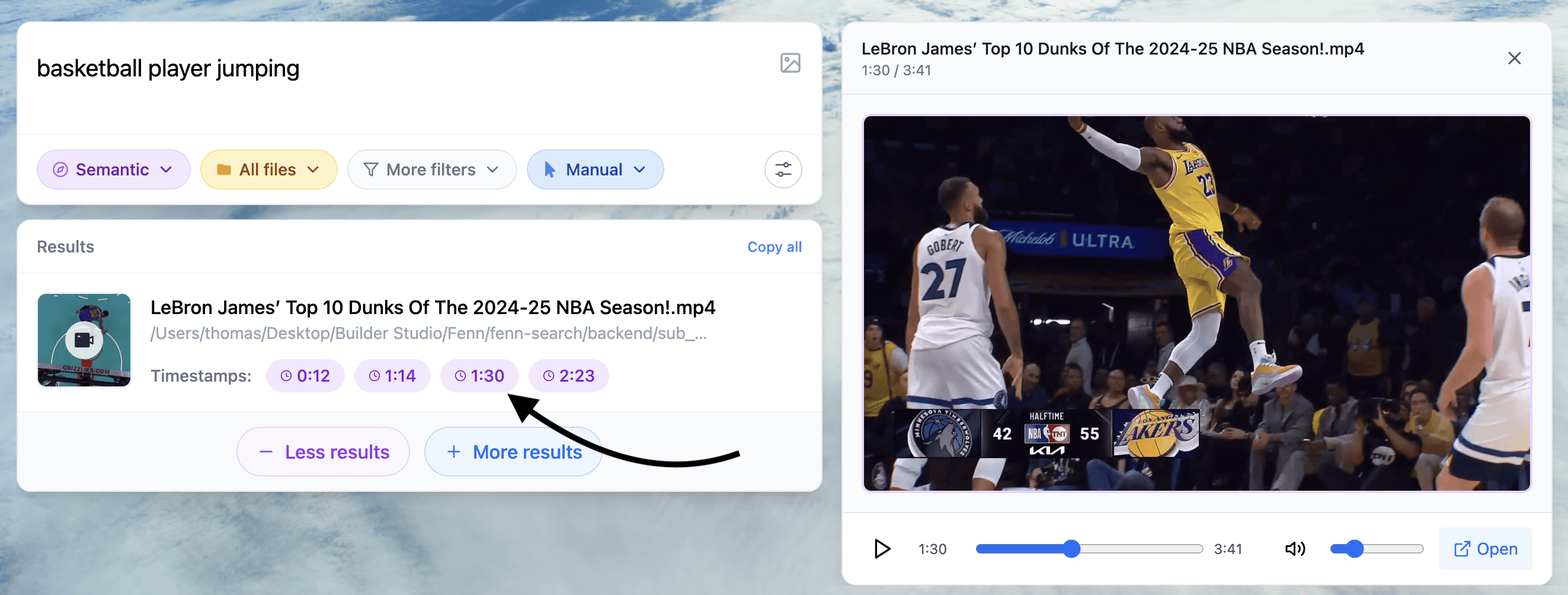
Search for words that only exist inside a screenshot (like a setting name or error message), then open the image instantly.Find moments inside audio and video
If you have recordings, Fenn can jump to the relevant timestamp or frame so you stop scrubbing and guessing.

Why this matters for creators
Apple Creator Studio is a creation suite. Fenn is a retrieval layer. Together, they reduce the two biggest time sinks:
creating many versions
losing time finding the right one later
And because Fenn runs on-device, it is a strong fit if you handle unreleased projects, client files, or confidential material and do not want to upload work-in-progress assets to cloud AI tools.
If Apple Creator Studio helps you make more, Fenn helps you find it later.
Try Fenn, the Private AI that finds any file on your Mac. On-device for privacy, fast on Apple Silicon, and it opens the exact moment you need. Find the moment, not the file.