Rename Your Files With AI on Your Mac
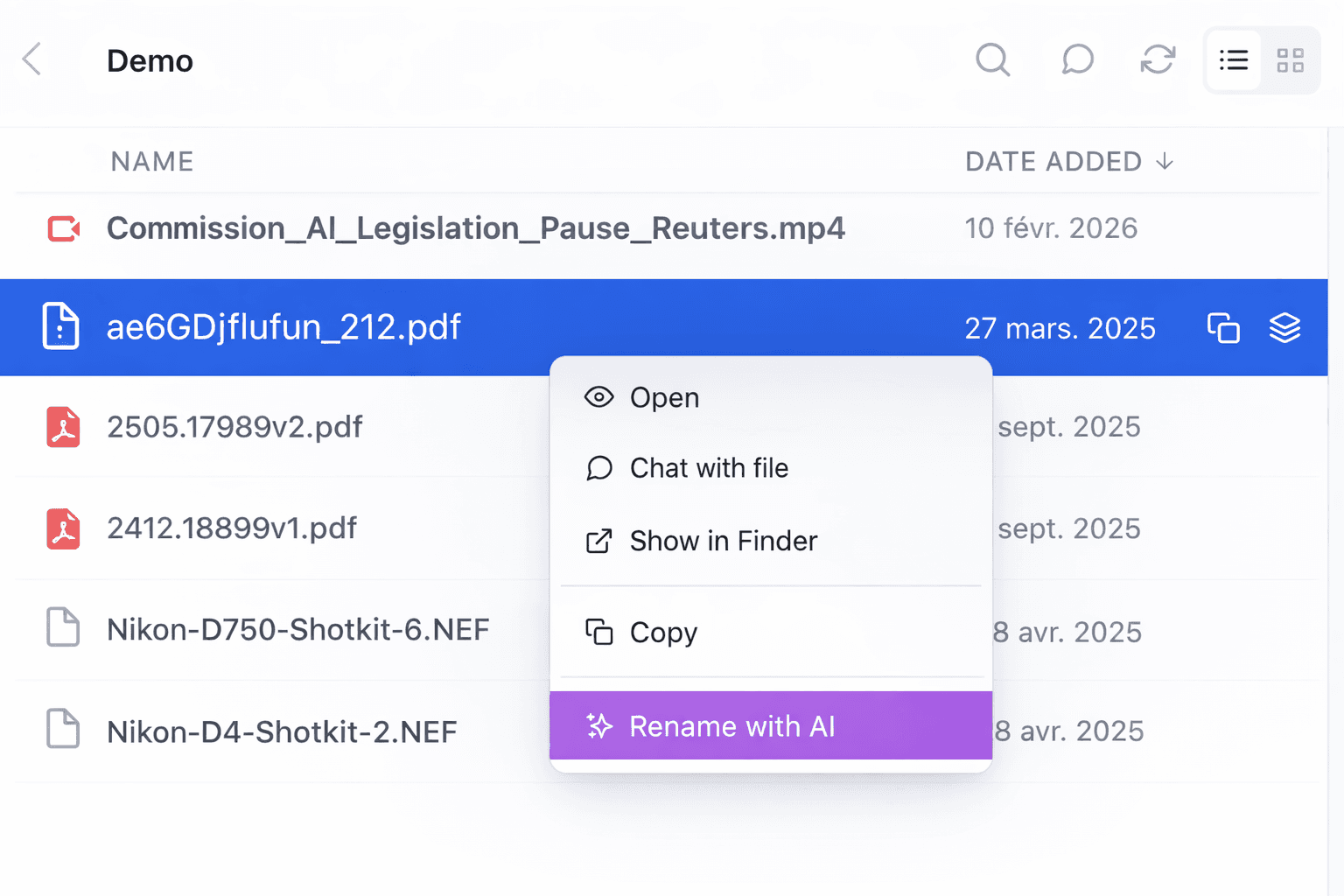
Rename Your Files With AI on Your Mac
You know the file.
It’s called something like:
ae6GDjfluufn_212.pdfIMG_4839.PNGscan00047.pdfexport_final_v2_reallyfinal.mov
You do not know what it is from the filename. So you open it, wait, check the content, then rename it manually.
Do that a few times per day and it becomes one of those annoying little tasks that steals more time than it should.
The pain is not only finding the file
To be fair, finding badly named files is not the hardest problem anymore.
With Fenn, you can already search files by their content, not only by their filename. That means you can find the right PDF, image, video, or PowerPoint even if the name is useless.
But messy filenames are still a problem.
Because sometimes you need to:
send the file to someone else
glance at a folder and understand what is inside
keep your projects clean and readable
avoid reopening the same file again just to know what it is
A file can be searchable and still badly named.
That is exactly the gap this new feature closes.
The new feature: AI renaming for any type of file
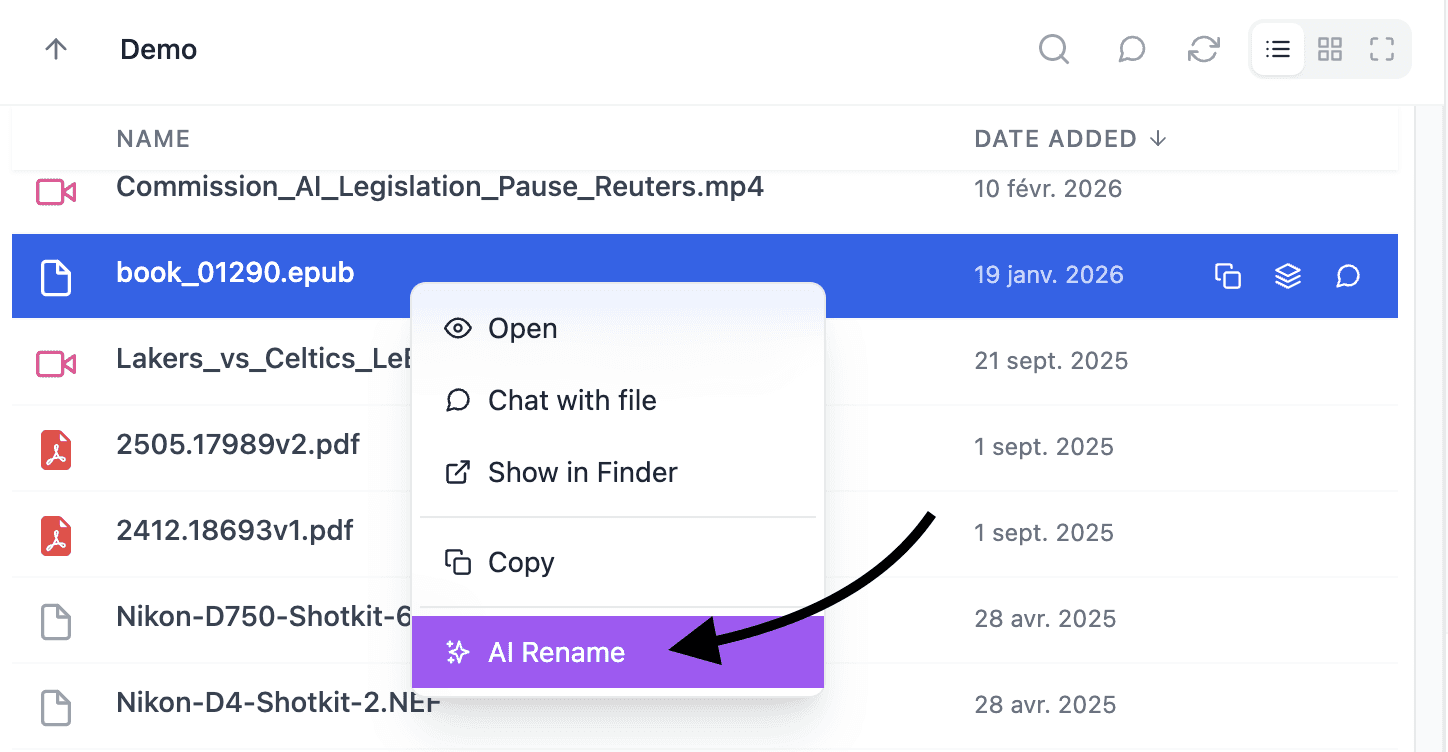
Fenn can now rename your files with AI on your Mac.
And not just images.
That is the important part.
Most AI renaming tools are really image renaming tools. They look at photos or screenshots and suggest a better title.
Fenn goes further. It works with the all kinds of files people actually use at work:
PDFs
Images
Videos
Audios
Indesign
Photoshop
PowerPoint
and more
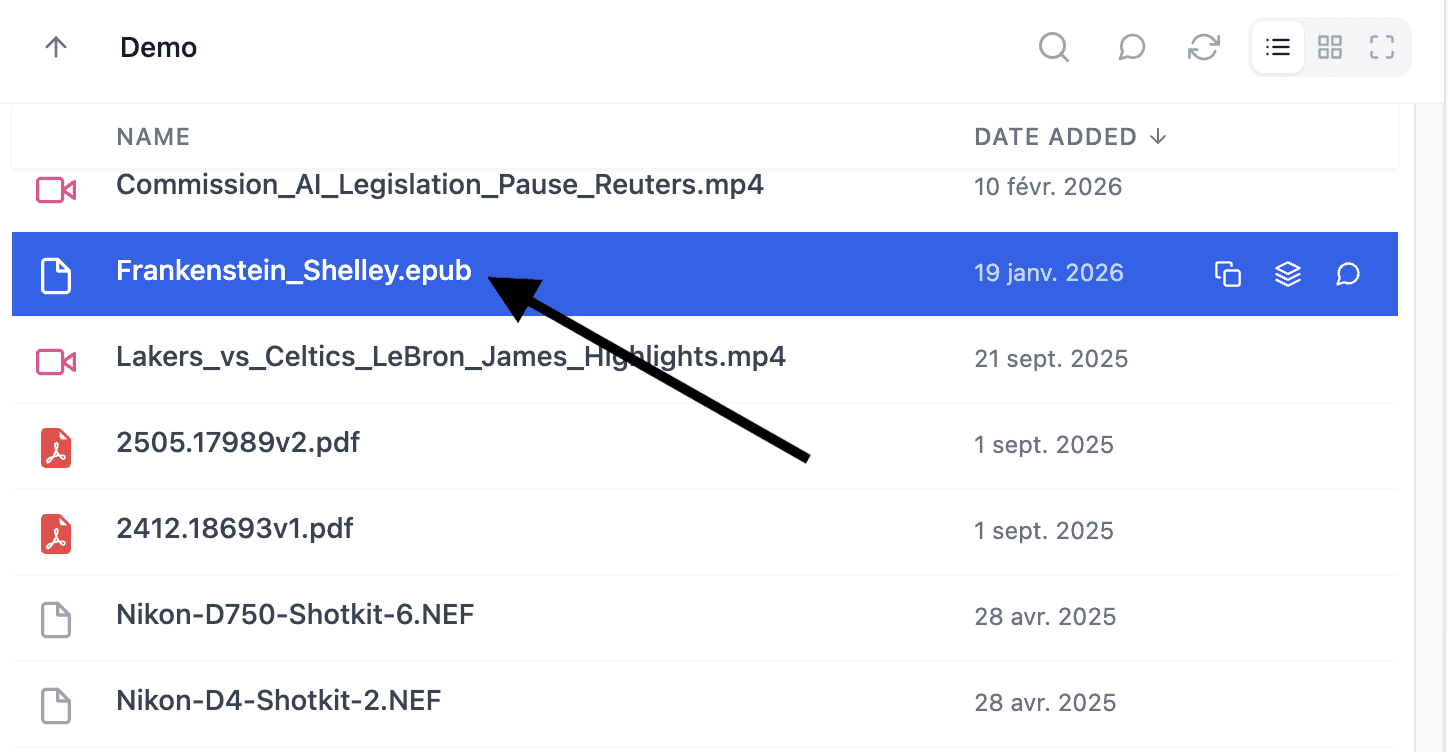
Instead of relying on the original filename, Fenn looks at the actual content of the file and suggests a name that makes sense.
So a meaningless file like ae6GDjfluufn_212.pdf can become something clear and useful, based on what is inside.
Why this matters more than it sounds
Good filenames are not just about being tidy.
They make your whole workflow easier:
folders are easier to scan
shared files are easier to understand
archived projects are easier to revisit
handoffs are cleaner
your Mac feels less chaotic
And when you work with lots of files every day, that matters.
You should not have to open a file just to figure out what it is.
Private by default
This is where Fenn is different.
Fenn is an AI file management system for macOS that lets you:
index your files
find them by content
chat with them
organize them automatically with magic folders
and now rename them with AI
All 100% privately.
The renaming uses a local model on your Mac. Your files do not need to be sent to OpenAI, Anthropic, or Google.
That is especially important if you work with:
private client files
legal documents
financial records
internal presentations
confidential media
personal archives
If the file is sensitive, the filename generation should not require uploading the file to big tech.
A better file workflow on Mac
The full workflow now looks much cleaner:
Index your files locally on your Mac
Find them by content, even if the filename is terrible
Chat with them privately when you need answers
Organize them with Magic Folders
Rename them with AI so they stay understandable later
That is the difference between “search tool” and “file management system.”
Fenn is not just helping you retrieve files after the mess happens. It helps clean the mess too.
A few examples you can show
This article works well with a few screenshots like:
a folder full of unreadable filenames before AI renaming
a single PDF being renamed based on its content
an image or screenshot getting a useful descriptive title
a video or PowerPoint file getting a clear, human-readable name
You do not need many. Just enough to make the transformation obvious.
The bottom line
Bad filenames are a small problem that keeps repeating.
And repeated small problems are exactly what software should remove.
With Fenn, you can already find files by what is inside them. Now you can also make those files readable at a glance, with AI renaming that works locally on your Mac.
So yes, finding ae6GDjfluufn_212.pdf is no longer hard.
But now you do not have to keep it called ae6GDjfluufn_212.pdf either.
Fenn is Private AI that finds any file on your Mac. Now it also helps you name them properly.