Apple Picks Google Gemini for Siri: What We Know So Far

Apple and Google have confirmed a multi-year partnership where Google’s Gemini will help power future Apple AI features, including Siri. The announcement raises two immediate questions for Mac users: what changes, and what happens to privacy?
If your day-to-day pain is still “I can’t find the right file fast,” there’s a practical takeaway: even a smarter Siri does not automatically fix searching inside your own PDFs, screenshots, notes, and recordings. Fenn is Private AI that finds any file on your Mac, on-device, and it opens the exact page, frame, or timestamp. Find the moment, not the file.
What’s confirmed
Here’s what Apple and Google have explicitly put on the record:
Apple will work with Google and use Gemini models as part of its AI foundation for future features, including Siri.
The partnership is multi-year.
Apple says it will maintain its privacy standards, with a lot of AI processing happening on-device or through tightly controlled infrastructure.
What’s not confirmed yet
There are still key unknowns that matter for users and developers:
Pricing and deal terms: no official number has been confirmed publicly.
What runs where: it is still unclear which Siri requests will run fully on-device, which will use Apple’s controlled infrastructure, and which will involve Google’s cloud components.
Feature list and timing: we can expect improvements this year, but Apple has shifted Siri timelines before, so specific dates should be treated as “expected,” not guaranteed.
What we can expect next
Even without a detailed feature list, this partnership points to a few likely outcomes.
Siri answers should become less brittle
Siri’s biggest weakness has been handling longer, more complex requests and producing consistently useful answers. Gemini’s strength is language understanding and reasoning, which should make Siri better at requests like:
summarizing and rephrasing
multi-step questions
“help me decide” style prompts
conversational follow-ups without losing context
Apple Intelligence features could expand quietly across the OS
Apple’s AI strategy has been more “integrated into workflows” than “chatbot first.” Expect more features that feel like:
better summaries and suggestions
smarter system actions
improved writing tools
enhanced help inside apps
This will not be “Gemini everywhere”
Apple is very likely to keep a split approach:
simpler tasks handled on-device
more complex tasks routed through controlled infrastructure
cloud involvement used selectively, not as the default for everything
Privacy: the real question
Apple’s messaging around AI has been consistent: privacy-first, with significant on-device processing. The Gemini partnership does not automatically mean your data is suddenly handled like a typical cloud chatbot workflow.
That said, privacy will depend on the details:
what data is sent for a given request
whether requests are associated with an identity
what user controls exist to opt out of cloud-based processing
how logs and retention are handled across systems
If you work with confidential documents, the safest pattern remains simple:
keep sensitive material on-device when you can
use tools that do not require uploading your private files to third-party services
This is where local file search becomes a bigger deal than most people think.
What about Spotlight?
This announcement is about Siri and Apple’s AI features, not Spotlight specifically. Spotlight may benefit indirectly over time, but you should not assume “Gemini in Siri” equals “Spotlight suddenly finds everything perfectly.”
Here’s the practical difference:
Siri and Apple Intelligence can help you ask questions and get answers.
Spotlight is about retrieval, and retrieval is where most people lose time.
If you remember a phrase inside a PDF, a line from a screenshot, or the moment in a meeting recording, Spotlight often falls short because:
it can be inconsistent across file types
it tends to emphasize metadata and filenames
it does not reliably open the exact spot you need inside long files
The practical takeaway for Mac power users
Even if Siri becomes dramatically better, you will still spend time on one of the most common workflows on a Mac:
“I know it’s in one of these files, I just need it now.”
That workflow is where Fenn is designed to win.
How Fenn fits into the post-Gemini Mac
Private, on-device indexing: your data stays on your Mac.
Search inside content: PDFs, images and screenshots, docs, notes, audio, video.
Jump to the exact moment: open the right page, frame, or timestamp instead of scrolling for minutes.
If you are excited about AI improvements but still frustrated with file retrieval, this is the upgrade you will feel every day.
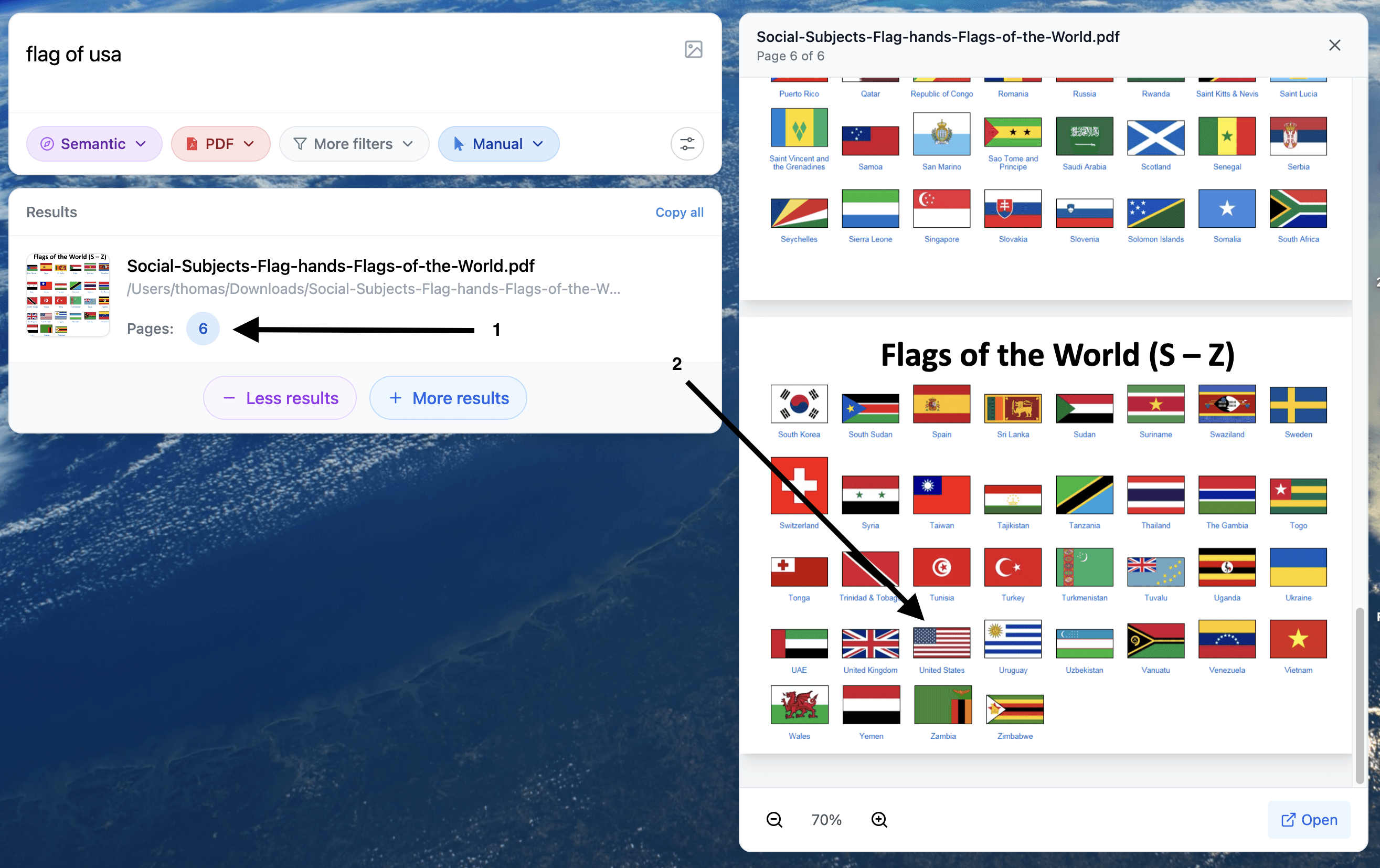
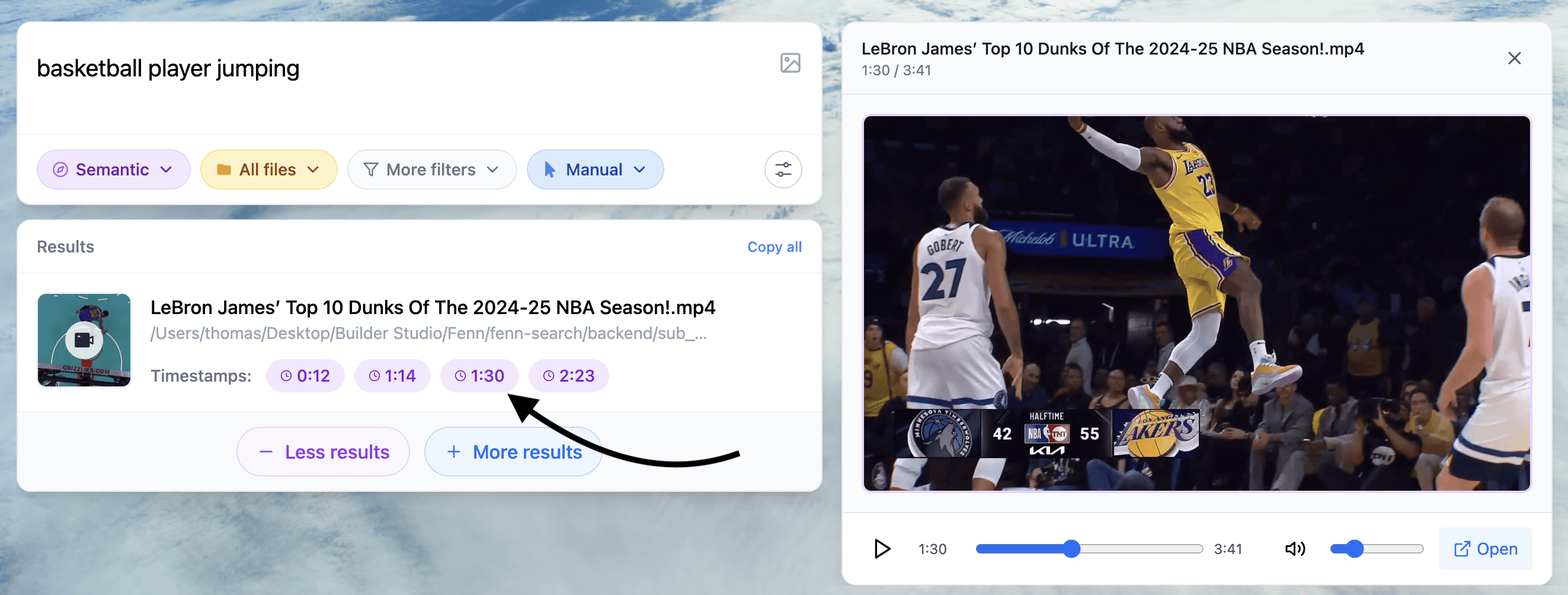
Example of search results helping you find the content you need inside any type of files
What to do next
Treat this as a meaningful Siri upgrade, but wait for specifics on feature behavior and privacy controls.
If you rely on Spotlight, keep expectations realistic: assistant intelligence and file retrieval are related, but not the same problem.
Fix the daily pain now: adopt a private, on-device search workflow that finds the exact moment inside your files.
If you want the “AI upgrade” that saves time immediately, start with retrieval.
Read also
Try Fenn, the Private AI that finds any file on your Mac. On-device for privacy, fast on Apple Silicon, and it opens the exact moment you need.
Find the moment, not the file.